

Insights, ideas and inspiration. A go to wisdom hub right here.
Featured Posts


Tutorials
7 Min Read

Latest Posts
General
11 min read
Awesome Websites : A Subscription-based Fully Managed Continuous Improvement Program
- What is Awesome Website
- Why we created Awesome Plans, a subscription-driven service.
- What we offer
- How we are Different
- How your business can Qualify for “Awesome Website” service
1. What is Awesome Website
Awesome Websites is state of the art service offered by us for developing enterprise websites. It’s based on the continuous improvement process which employs incremental improvement of a website over time, replacing traditional all at once approach, better fit for continually growing and evolving business organizations. [aw2.module slug='pullquote' pull_class='float-right'] [aw2.this html] Awesome Websites is based on a continuous improvement process which employs incremental improvement of a website over time, replacing traditional all at once approach, better fit for continually growing and evolving business organizations. [/aw2.this] [/aw2.module] We consider a website to be “Awesome” when it can demonstrate the following qualities,- Brand:
- The website must reflect and add to the brand proposition of the business.
- Adaptive
- The website should be adaptive and must take advantage of the screen it is on, to show the right information, beyond just a responsive site.
- Enabler
- The website should be beyond a Static site. It should enable business workflows to achieve more with less effort.
- Optimized
- It should be continuously optimized to adapt to its visitor behavior.
- Data-Driven
- The Website should be continuously improved upon with feedback from the Analytics. It should leverage valuable insights hidden in data about the website’s visitors.
- Should do its job
- The website is a vital primary marketing tool. It's an online conversion machine, working in parallel with other offline marketing strategies.
2. Why we created Awesome Plans, a subscription-driven service
The long and short of the story is,“Having created hundreds of websites for the customers over the last 10+ years, we have garnered keen insights on what works, and what doesn’t work for the web. We have distilled these insights into a comprehensive improvement plan for our client’s website and created a subscription-driven program to make their website awesome.”
Let’s elaborate more on it. We have been part of many customer journeys. We have seen what had worked for them and what did not. At times things that had worked for a particular client did not work for the other. Few factors that led us to design Awesome Plans were,Unengaging, non-maintained and outdated business website had a negative impact on its visitors.
[aw2.module slug='pullquote' pull_class='float-left'] [aw2.this html] In the past, we have built hundreds of websites, which languished because it never got updated. It almost stayed the same for a long period of time as they were at the time of launch. It never gave the returns that it should have given. [/aw2.this] [/aw2.module] In the past, we have built hundreds of websites, which languished because it never got updated. It almost stayed the same for a long period of time as they were at the time of launch. It never gave the returns that it should have given. While they performed at its best for a period ranging from a few months to a year or so, but over the period it reached the saturation point, beyond which it was never the same website as it was when it was built. By reaching the saturation point, it didn’t mean that the website stopped working, but it started having the following symptoms,- The website was not visually appealing as it was when launched or as compared to current trends.
- The business had outgrown. It has evolved over the years, but the website doesn't go hand in hand with this change.
- The Website didn't incorporate the change in the marketing strategy of the business which had changed over the period.
- Visitors were not much interested in the website as they were initially.
- The content was not engaging anymore, or even worse, the information about products and services was not up to date.
- The Website looked stagnant and outdated.
Drawbacks of Traditional Web Development process
The clients for whom we were developing websites, always came back with requirements small or big. Once the requirements came in, both sides had to sit and discuss what needs to be built, how its gone be achieved, how much time it will take, and the most crucial part, what is the effort and cost for that change. All good so far, but things we never easy as they looked. Clients requirements would change, even in the later stages of the development, more changes would happen closer to project deliveries which would change the scope of work. To accommodate these changes, we had to re-quote, renegotiate, which affected our efforts and the most critical thing, clients expenditure. On our end, we had to align the resources such as designers, developers, project manager’s etc. across projects according to the need of the hour. And to complicate things more, multiple such projects were running in parallel. This traditional web development process was cumbersome and inefficient, costing time and money for both the stakeholders, we and our clients.Drawbacks of Traditional “Fixed Price Cost” Model
[aw2.module slug='pullquote' pull_class='float-right'] [aw2.this html] Working with fixed price model for website development looked easier, cheaper and more profitable in the beginning. [/aw2.this] [/aw2.module] Working with fixed price model for website development looked easier, cheaper and more profitable in the beginning. However, again, it was not the case as it looked. Clients came to us for either development their website from scratch or some maintenance tasks of their existing website. Whatever the case based on the requirement, the time, cost and effort required for that project or task was estimated. The cost was an important parameter in the estimate. Majority of times, our client’s would need a certain amount of time discussing with all the stakeholders within their organization to allocate the required budget. On our end, we had to take deposits upfront (minimum 50% or more of project cost) to start the work. These upfront costs were a barrier to many customers, and it looked like initial entry cost was high, even if the price was divided into smaller payment milestones. And needless to stay that the project requirement would undoubtedly change. In short Back and forth SOW for changing client requirements, negotiations, and renegotiations of the estimate, rearranging payments milestones, countless amount of time that was spent but not billed, awkward late-payment reminders through emails, phone calls. All these things were costing us in terms of time and money. We knew we needed a better pricing model.Clients needed True partnership, on an Ongoing Basis
Not all of our clients were tech-savvy. Most of them wanted to offload their technical requirement to a team of experts who are reliable, talented, experienced and most importantly, who are willing to take responsibility for their business website. [aw2.module slug='pullquote' pull_class='float-left'] [aw2.this html] We defined our services and Bundled them into a subscription model called “Awesome Plans.” [/aw2.this] [/aw2.module] Also, the client’s didn't want to invest internally hiring tech team and manage them by themselves. All they wanted is access to the tech team, which is always available, listening to them whenever they are in need. Going through these factors mentioned above, some trial and error tactics, connecting the dots from the experiences that we had, We came up with a bespoke solution which addresses almost all the problems and most importantly which will work for broad categories of clients.3. What we offer
Currently, as of now writing this blog post, we have three subscription plans. Depending on the client's needs, they can choose a plan which is the best fit for their business. Following Awesome Plans are available,- BASIC: Business Websites
- A starter plan designed for targeting entry-level SMEs
- PRO: Marketing Portals
- Best suited for mid-level SMEs
- EPIC: Business Workflow
- Best suited for Enterprise clients.
4. How we are Different
Being a part of the Software industry, specifically being into the WordPress ecosystem, there are N number of Companies, Agencies, & Freelancers who offer WordPress based services which are more or less similar. [aw2.module slug='pullquote' pull_class='float-right'] [aw2.this html] The fact that we incorporate “Continuous Improvement Process” to build “Awesome Websites” sets us apart from the rest of the service providers in the same niche. [/aw2.this] [/aw2.module] Making it extremely difficult for prospects to choose from these options. The following section describes how we are different and how our solutions are better than similar competitors in the niche.Business Solutions based on Continuous Improvements
The fact that we incorporate “Continuous Improvement Process” to build “Awesome Websites” sets us apart from the rest of the service providers in the same niche. Traditional website development approach leads to a website which is stagnant, non-maintained, outdated. CI approach breaks from this conventional way, to continuously improve and deliver a website which will always be fresh, up-to-date and on the cutting edge. [aw2.module slug='pullquote' pull_class='float-left'] [aw2.this html] Having years of experience under our belts and diverse expertise helps us take up and solve the complex business challenges. [/aw2.this] [/aw2.module]Reliable Experts that can be banked on
We are a team of experts who are creative, talented, reliable, professional and experienced. Having years of experience under our belts and diverse expertise helps us take up and solve the complex business challenges. And the most important part, we take full responsibility for our clients business website.Services Beyond Traditional Retainers
Our services go beyond traditional retainers. Traditional retainers generally consist of following services- Free Hosting
- Uptime Monitoring
- Daily Backups
- Minor Tweaks, Fine-Tuning of the website.
- Plugins and Theme updates
- Virus and Malware Scanning
- Proactive changes to the site every month
- Designing and Developing of
- Landing Pages
- Newsletter Templates
- Analytics & Monitoring
- Awesome Apps
- Complimentary Mobile Apps (running parallel with the Business Website)
- Unlimited Help and Support
- Development of Custom Workflows
We offer True partnership
We believe in delivering solutions that solve real business problems. We are with our clients on every step of building their “Awesome Website” right from planning, development, testing to launching it and beyond. [aw2.module slug='pullquote' pull_class='float-right'] [aw2.this html] Our clients consider us an extension of their team working collaboratively with them on solving their toughest online challenges. [/aw2.this] [/aw2.module] Our clients consider us an extension of their team working collaboratively with them on solving their toughest online challenges.Beyond SOW
Instead of leaving client projects stuck in the pipeline due to renegotiating terms, the scope of work, cost estimates, payment milestones etc., with Awesome Plans subscribed to our clients, and we focus on getting things done.5.How your business can Qualify for “Awesome Website” service
When we designed “Awesome Website” we knew it’s not meant for every website on the planet. We knew for which businesses it’s the best fit and for which it was not. We wanted to work with Clients which resonated with us on the following points,The Website is Not just an online brochure, but a serious marketing tool
[aw2.module slug='pullquote' pull_class='float-left'] [aw2.this html] Building a website and launching it is not the goal. Running it in a way to maximize its potential should be the goal. [/aw2.this] [/aw2.module] A website helps business in building its identity, trust, and reputation. Basically, it's an online conversion machine. We want to work with companies who are serious about their website, who think their website as one of the primary Marketing tools and wanted to harness its power.Can understand Continuous Improvement Process benefits
Building a website is not a one-time event. It may work for a countless number of sites and is nothing wrong about it, but it has its drawbacks. We want to build reliable, scalable, stable, well-maintained web portals for our clients which can only be achieved by continual improvements over time delivering outstanding results to our clients and their customers.Ready to shift towards a long-term mindset
“Rome was not built in a day.”
You can download a free theme, customize it a bit, add content to it and make the website live in a few days. Building a website and launching it is not the goal. Running it in a way to maximize its potential should be the goal. Shifting towards a long-term mindset has its benefits,- Increase Brand Awareness
- Improve visibility in the search engines hence increase in website traffic
- Generation of qualified Leads which will drive more conversions
- Establish a connection with the target audience through fresh content and design.
Lastly Budget
“You get what you pay for.”
We want to work with clients who are ready to invest in their website. Having a budget allocated helps to focus on the problem at hand, which is more important than anything else. Our pricing is transparent. This allows our potential clients can have a better understanding of what they are paying, and what value they are getting for that investment. We have also listed down all the features of various plans in a comparison table so that it becomes easy for them to compare and choose which plans fit in for their budget.Conclusion
The primary goal of this article is to give a brief introduction to Awesome Websites service offered by us to our potential future clients. On the closing thoughts, we expect the readers of this article, especially prospects to think about the benefits that this service will bring to their business. Take the first step, subscribe to our Awesome Plans, then sit back & relax. Let us take care of your business website.
EdTech
10 min read
Why Educational Institutions should Automate their Admission Process
The challenges of Manual Workflows in the Admission Process
The educational institution's admission office is full of the hustle and bustle, especially during the peak admissions period. It's stacked with long queues of students who want to take admissions. The administration staff is busy with registration and enrolment processes. Presently, several educational institutions have not adopted the technology to the fullest. Their management still trusts the manual process for 'behind the scenes' work; which includes a student registration process, fees procurement, admission verification, among others. [aw2.module slug='pullquote' pull_class='float-right'] [aw2.this html] The manual admission process is not only tedious and frustrating but also highly stressful and prone to errors. [/aw2.this] [/aw2.module] The manual admission process is not only tedious and frustrating but also highly stressful and prone to errors. Your in-house administration staff's time is fully occupied, handling the sequential admission process of hundreds of students. The administrative staff is also busy doing repetitive & tedious tasks, which takes up a lot of their time, ultimately resulting in less productivity. They work very hard to complete the entire admission process on time. Along the way, they also have to resolve any discrepancies and errors that emerged by the manual process. In short, they end up being frustrated. This frustration will have a negative impact on students and can lead to dissatisfaction, as the admission lacks the kind of efficiency it needs. On top of that, the students and parents are stranded in the long queues of admission application submission and fee payments. They are left with no alternative but to follow the manual process conducted by the educational institutions.Solution - Automate the Admission Process
With the increasing number of students taking admission in the academic institutes, the need for having a solution to manage, simplify, and streamline student admissions has become imperative. [aw2.module slug='pullquote' pull_class='float-left'] [aw2.this html] The enrollment module of the Smriti EdTech platform is designed in such a way that it will reduce the pain points of the admission process that your institution face. [/aw2.this] [/aw2.module] Smriti EdTech's enrolment module automates the entire admission process, providing a hassle-free experience to both students and the institution's staff. It takes out the headache of managing the entire end to end admissions lifecycle making it more efficient than ever. The admission process is the first actual interaction of students and parents with the educational institution. By automating the admissions process, it makes a good impression on them, boosting the brand identity of the institution. The enrollment module of the Smriti EdTech platform is designed in such a way that it will reduce the pain points of the admission process that your institution’s face. It lets you efficiently manage the overall admission process in the following ways:- It enables you to manage your entire admission process from one place (Dashboard), thus saving your staff's time. It also reduces the complexity of the process, making sure that it's error-free.
- It provides you with a real-time view of the prospective student's pipeline along with the stages in which they are.
- It provides insights about the entire enrollment process, which allows your institution's management team to help identify the challenges of the admission process. They can take quick measures to increase admission conversions based on these insights.
- Since the admission process is automated, it requires less human intervention, thus freeing your staff for more productive work.
Benefits of automating the Admission Process
Smriti EdTech's enrollment module automates the entire end to end lifecycle of the admission process for all types of educational institutions whether its Schools, Institutes or Colleges. This platform not only streamlines the admission procedure but also provides a better experience to the students. Following are the benefits achieved by automating the enrollment process,1.Convert Your Potential Admission Enquiries
The ultimate aim of having automation in the admission process is to simplify the operations and maximize the enrollment of new students, along with retaining qualified students. The admission module of the Smriti EdTech Platform helps you in providing the right insights of overall admission inquiries, how it has been progressing, and how many seats are confirmed. This educational software provides you with intuitive admission automation, designed to capture maximum student leads so that they can be transformed into sure shot admissions. For Schools, this module allows the parents to check the admission eligibility of their child online, submit the school admission application, upload the various documents from the comfort of their home. The admission inquiries are collated centrally. The school staff can conduct the necessary processes such as sorting the admission applications, reach out to the prospective parents to schedule admission interviews, waiting list management, etc., thus helping convert the inquiries into admissions. The streamlined online admission registration process makes the job of your administrative staff easier and efficient by reducing errors, manual paperwork, and redundant administrative chores. For Institutes, your admissions team can easily reach out to potential students who have enquired, can schedule counseling sessions, and follow-up with them. All the communications history such as SMS, emails, call logs are maintained in one place. For Colleges, they have to go through a centralized admission process for first-year students. This module allows colleges to have a custom online admission process so that they can admit students who have qualified the common entrance tests conducted by Statutory Central Admission Authorities. For the rest of the student's admission is conducted similarly. [aw2.module slug='pullquote' pull_class='float-right'] [aw2.this html] The lead stages can be tracked as the prospects move through the admission funnel, thus saving time for your admin staff on scrutinizing the same. [/aw2.this] [/aw2.module] The admissions automation feature captures required student's information and does the routing of applications based on the program/course selected, caste or category, and other influential parameters. It also detects whether a new student or existing student is taking admission depending on CET number. or PRN entered. Also, the lead stages can be tracked as the prospects move through the admission funnel, thus saving time for your admin staff on scrutinizing the same.2. Minimize the Manual Data Entry Process
The influx of students taking admissions is increasing day by day. The academic institutes have a hard time to cope up with this scale of the enrollment process. Also, they have to work with lesser resources along with traditional manual systems. [aw2.module slug='pullquote' pull_class='float-left'] [aw2.this html] The manual form filling process is completely eliminated as the students and parents can fill online admission forms at the comfort of their home, without coming to the institution campus. [/aw2.this] [/aw2.module] Manual data processing is time-consuming and full of errors. The administration staff enters the data collected from the paper-based admission forms into excel sheets. This process is more error-prone since the data entered might be wrong due to incomplete information, unrecognizable handwriting, among others. Smriti Edtech's admissions module digitally stores almost all information of the admission process. The students apply for admission through online registration forms. The manual form filling process is completely eliminated as the students and parents can fill online admission forms at the comfort of their home, without coming to the institution's campus. The digital scan copies of mandatory documents are uploaded to the system hence removing the need for storing and managing them physically.3. Your Students Admissions Data is in a Single place
Your institution's staff is already struggling to streamline the admission procedures. On top of that, all the student's data is scattered in various paper-based forms, stored in file cabinets. Some institutions are implementing a slightly better solution of entering the student's data into excel sheets. It has its own challenges. Over the period as the number of enrolled students increases, it becomes challenging to manage students data in one excel sheet. Also, to recall students information year, program, branch, and department wise becomes difficult and time-consuming. The worst part is, these excel sheets are shared among various members through emails or pen drives, making it difficult to maintain one version of the excel sheet which consists of the up to date information of the students'. This problem scales as the number of students enrolling for various programs & courses increases. And even worse multiple versions of the excel files are created with names like 'final,' 'copy of final,' 'final of final,' 'final version 1' etc. Smriti EdTech's admission module gives you a complete view of data generated from the admission process conducted for different programs or courses. Your institution's data is stored in one central location, with zero redundancy. [aw2.module slug='pullquote' pull_class='float-right'] [aw2.this html] You can manage the student data from multiple campuses through a single dashboard. [/aw2.this] [/aw2.module] Your in-house staff can retrieve, monitor, and analyze the students and their admissions data whenever required. The details such students personal information, program/course they have enrolled, uploaded documents, along with the information of fees paid is available on demand. Not just that, you can manage the student's data from multiple campuses through a single dashboard.4. Collect Fees from the Students using Credit or Debit Card, Mobile Wallets & UPI
Fee collection is the most crucial component of the admission process. Educational institutions can collect fees from the students, through online payments by Credit or Debit Card, Mobile Wallets & UPI, among others. [aw2.module slug='pullquote' pull_class='float-left'] [aw2.this html] Educational institutions can collect fees from the students, through online payments by Credit or Debit Card, Mobile Wallets & UPI, among others. [/aw2.this] [/aw2.module] After the students submit their online admission application, they can view the fee structure, including its components and pay for it. These fee components are pre-configured depending on the program, course, caste, or any other parameter. Late fees & super late fees per day, along with their collection start and end dates can also be configured. Partial fees can also be collected from students in the form of installments. Automatic reminders can be sent to students who have opted for partial payments for the next installment or whenever they have any overdue payments. In short, the students or their parents can directly pay all types of fees without traveling to the institution's campus.5. Make more informed decisions with Real-time, Data-driven & On-demand Reports.
Smriti EdTech's enrollment module gives you real-time insights about your entire admission process. Insights such as, how many total numbers of students have applied, what's their status and how the admissions are progressing at every stage. It provides you with accurate information which lets you figure out how good are the enrollments for the year, have they increased or decreased, etc. You can generate customized reports of the accounts of the institution to keep a record of the money flow throughout the year. Real-time, data-driven, easy-to-visualize & on-demand reports can be generated, which helps decision-makers to make more informed decisions related to admissions. Student wise reports of fees received, outstanding fees, installments, can be generated based on daily, weekly, quarterly, yearly, or for a custom date range.Conclusion
Smriti EdTech’s Enrollment Module is equipped with the necessary features for the automation of the admission and enrollment process. The entire flow of admission is taken care of. This Module is custom-built ground up catering to the different needs of educational institutions viz Schools, Institutes & Colleges. There are many benefits of automating the admission process, but one of the main benefits is that it reduces the overall costs of operation by digitizing the entire process. It lowers recruitment costs and effectively optimizes the resources. It also ensures a seamless flow of communication with students using web & mobile devices. It also provides your institution with the real-time information and analytics of how the process is performing. Based on that, you can make informed decisions, continuous improvements & work on the flaws of the process. Lastly, it lessens the time required for the execution of the entire admission life cycle from weeks to a few days. To learn more about how Smriti EdTech's enrolment module can automate the admission processes of your educational institution get in touch with us today.
EdTech
11 min read
Make Educational Institutions Smarter using Smriti EdTech Platform
How Smriti makes Educational Institutions Smarter?
Smriti Edtech Platform offers a holistic approach to facilitate smooth management of the entire educational institution's affairs. It has got all the necessary modules that are needed to manage the institution efficiently.1.Enrollment Module
Enrollment module handles the entire enrollment life-cycle right from online admission application to fee collection to enrolment. It replaces the manual admission process which is tiring, time-consuming, stressful and error-prone for both administrative staff and students. Enrollment module automates the entire admission workflow, eliminates duplication of work, hence reducing the overall cost of operations & enabling better utilization of resources. Educational institutes can collect students fees online, replacing time-consuming, mundane standard fees collection process through cash, cheque or DD. Admin department can track stages and statuses of almost n number of students in real time. The entire time required for the execution of end to end enrolment process is reduced from weeks to a few days. Enrollment Module makes Educational Institutions smarter by following ways,- Technology-driven, automated & smart admissions processes.
- Less administrative work hours per week required for handling admission processes.
- Eliminate admission bottlenecks and simplify operations with online admissions.
- Accept fee payments online from students, eliminating the need for manual fee processing in the form of cash, cheque or DD.
- Data-driven based decision making, due to availability of information stored digitally.
- End to end digital processes online admission application, digital scan copies of documents are uploaded instead of Xerox copies, online fee payments.
- Daily reports generated, exported & mailed to authorized persons consisting the details of fee collections.
- MIS reports can be generated giving a clear picture of admissions & cash flow.
2. Assessment Engine
The learning process is not deemed completed unless it's assessed. Whether learning has happened in the student can only be concluded with assessments which are then evaluated. This module lets you quickly create comprehensive online assessments using pre-built question templates such as MCQs, MRQs, Drag and Drop, Match the Columns, True or False, Fill in the Blanks, among others. These electronic assessments allow faculties to quickly evaluate the performance of the students and give them instant feedback so that they can improve students who are weak. Assessment Module makes Educational Institutions smarter by following ways,- Create and manage online assessments, such as practice tests & quizzes.
- Teachers can build a question bank which is used to create online tests.
- Conduct tests periodically instead of summative assessments.
- Effective assessment of students at individual performance level
- Go paperless, by conducting online examinations.
- Conduct class tests, practice tests or test at home on mobile devices.
- Custom reports of online assessments help teachers identify problem areas in students so that they can improve them.
3. Learning Module
This module helps in delivering content through a new type of learning model called Blended Learning, which is a combination of offline (face-to-face, traditional learning) & online learning. The content is delivered through computer or smartphones thus providing an interactive learning experience. The backbone of the Learning Module is the Learning Management System (LMS). Faculties can collaboratively create, arrange, publish & manage the learning content using LMS. Various content types such as text, images, audio & video can be bundled together to create engaging and interactive learning content. Exercises & quizzes can be mixed in between the learning content, which allows teachers to gauge if students have grasped the concepts. Teachers can track the progress of the students such as how much learning content they have consumed & their performance in exercises & quizzes. Learning Module makes Educational Institutions smarter by following ways,- Allow students to study anywhere, any time, at their own pace using Mobile Apps.
- Integrate blending learning approach in the institution.
- Using LMS, faculties can deliver interactive & engaging learning content.
- The teacher can track students learning progress, identify struggling students to help them in their studies.
- Learning is no more passive activity; it’s active by practicing online learning.
- Students have access to helpful resources such as course material, lecture notes, presentations, sample question papers & question banks, among others, through web and mobile apps.
4. Certification Management
With certification management module; students can easily request attendance, character, bonafide, transfer & certificates. Traditional certificate request process consisted of manually filling form application, submission of xeroxed copies of supporting documents, filling bank challan to pay by cash, then submit one part of challan to the educational institution. Staff then handwrites the student information in the certificate & issues it to the student. Using Certification Management module the students from anywhere can request for various certificates online, upload scanned supporting documents, pay the certificate fees online. The certificate generation request goes to the authorized personnel who then verifies the details & documents. Once verified the certificate could be downloaded, printed on the institutional letterhead, get it signed from signing authority, finally issued it to the students. Certification Management module makes Educational Institutions smarter by following ways,- Track history of certificates that are issued to the students.
- Eliminate the need to maintain paper-based applications, xerox copies of supporting documents. All the data is stored digitally.
- Payments are made online by students.
- Cuts downs the entire certification generations process to just verification of application & documents to printing the certificate.
- Just download the requested certificate, print it on letterhead, (student details are pre-populated from the database), get it signed & stamped from the authorities, issue the certificate to the students.
- Students can collect the certificate from office counter or can receive it at their home by courier (for those who demanded it.)
5. Placement Platform
Placement Management System helps educational institutions to automate their placement activities. Employers can post jobs or internship opportunities, be it a campus or walk-in drives, send notifications to all the students, view student profiles & resume or CVs, shortlist students, conduct, track & manage interviews, give interview feedback to students. TPO’s can maintain the academic information of students such as students profile, digital mark sheets, the progress of students, shortlist & recommend students that match employers criteria, share students profile and resume online. Placement platform also helps to track students through various stages of the interview process, resolve queries of employers or students. Students can create and maintain their multiple job profiles; upload resumes/CVs, search and apply for jobs. They can follow the companies which they are interested in and get real-time notifications of opportunities. Up to date information on various stages of the placement, activities are available to them. Placement Platform makes Educational Institutions smarter by following ways,- All the information is stored digitally like student profile, mark sheets, resumes or CVs.
- TPO’s from one place can manage entire recruitment activities.
- The employer has all the access of students information, can conduct campus or walk-in drives, shortlist students based on the requirements.
- Students can manage their profiles online along with documents such as mark sheet and resumes or CVs.
- Only eligible & interested students are in the loop of interview process saving the time of all the stakeholders.
6.Student Dashboard
Students dashboard is a section of a portal for students, where all the information about their profile, parental information, fees details, attendance & even health information is maintained. Students can upload assignments, submission or project work, have access to learning materials, can attempt quizzes and complete exercises, also get notified about events, placement or internship opportunities. Student Dashboard makes Educational Institutions smarter by following ways,- The administration, as well as students, can view and manage their details from one place.
- It lets students manage their profile, upload profile photo & necessary documents such as aadhar card, caste certificate, among others.
- They can upload their assignments, view their attendance or even pay the outstanding fees.
- All the communications can be handled from one place,
- They can view the entire academic calendar consists of important dates such as
- Start & end dates of Registration, Admissions, Fee payment,
- Detailed Program/Course schedules
- Commencement & Conclusion of teaching Semester wise
- Official Holidays calendar
- Sessions / Viva Dates, Submission of Term work
- Schedule of Internal, Oral/Practical Exams & University exams.
- Notifications about workshops, seminars & conference conducted in the campus.
- They can also view Master Timetable and plan their studies accordingly.
7. Events Module
Smriti EdTech’s event module delivers a rich event management functionality, that has easy and user-friendly configuration capabilities, so that the entire event lifecycle right from events sign-up, attendance, to collecting post-event online feedback, can be managed from one place. It is specially designed for the educational institutions so that they can manage online registration and ticketing for various events hosted on the campus. Attendees can register online for the events, pay the ticket fees online. A notification email / SMS is sent to the attendees along with e-ticket thus completing the process of registration. Event Module makes Educational Institutions smarter by following ways,- Go paperless by digitally handling all the event process right from online registration, online secure payments processing, mail /SMS e-tickets to attendees.
- Configure ticket prices dynamically, allow early bird discounts, generate coupon codes, limit the no. of registrations.
- Allow discounts to students & faculty of the institution & bulk registration discounts.
- Display the entire event calendar along with its information such as venue details, timings & capacity.
- Eliminate data entry, streamline, simplify and automate almost all the processes of the events.
- Accept digital payments.
- Real-time reports to get a more accurate count of expected attendees, tickets sold, revenues generated.
- Allow attendees to register any time whether even after office hours.
8. Feedback Module
Feedback Module helps collect online feedback from all the institutional stakeholders viz students, parents, teachers, alumni among others. It also helps in conducting online surveys. If educational institutions are not collecting feedback, they will be not able to gain other people’s insights, opinions, and reviews. They may miss out any opportunities for improvements. Problems & issues in the institutional processes or operations may go unnoticed. It may also give the wrong message that they are not listening. If educational institutions are collecting manual paper-based feedback, it has its own set of drawbacks. Manually conducting surveys or collecting feedback is a lengthy & cumbersome process which consists of the distribution of the forms to the respondents, collecting them back, entering responses into a computer, analyzing the results, generating & sharing reports, acting on the feedback obtained. They are resource intensive as well since it needs a workforce to distribute the questionnaire, collect them, transfer the responses to a central location where it can be processed. It's also an expensive affair as it includes printing & making copies. Feedback and surveys conducted online have lots of benefits. The information entered by the respondent is stored in the database making it easy to mine this data. Real-time graphs and charts can be generated which helps in making more informed decisions. Feedback Module makes Educational Institutions smarter by following ways,- Collect feedback & reviews, conduct surveys online through the web or mobile apps.
- The teacher can give feedback on student's performance, or students can give feedback on their teaching, thus helping both of them to improve continuously.
- All the stakeholder's viz students, employers, alumni can give their suggestions through a structured feedback system which if required can be made available publicly for review.
- Annual survey of student satisfaction on various aspects or functions of educational institutions can be conducted.
- Since all the feedback is collected online, various reports for analysis can be dynamically generated, helping decision makers take necessary actions, plan future policies to improve the overall quality of the education.
- Students and Parents feedback on admission processes, institutional facilities, curriculum & teaching methods or overall academics can be collected.
- Feedback analysis can be shared with NAAC and other accreditation agencies.
9. Alumni Module
This module helps maintain alumni records and contact information. Alumni can create their profile, connect with their batchmates, browse the alumni network or even post job and internship opportunities. It also keeps them updated with the latest news & events, information about the progress of the institution. Educational institutions can create and run online fundraising campaigns and collect donations from alumni. All the donations can be accepted through online payment gateways. Alumni Module makes Educational Institutions smarter by following ways,- Alumni through their portal or mobile app can create or import their profile from social networking sites.
- It helps build alumni directory with up to date information such as their name, graduation year, branch/stream from which they graduated, contact details, employment details such as job title, place of work.
- Alumni are updated with the latest news & events, along with the progress of the institution.
- Alumni can collaborate with peers, teachers, and staff members.
- Create and run online fundraising campaigns and collect donations from Alumni through online payment gateways.
Conclusion
Smriti EdTech platform can transform the way Educational Institutions used to work. It's a SAAS based platform that streamlines everything right from student admission to managing alumni information. It offers a holistic approach to facilitate smooth management of the entire institution's affairs. Feel Free to connect with us - We would be Happy to cater your Educational Institute’s need.
General
5 min read
Avoid these Most Common Onsite WordPress SEO Mistakes
Permalinks not optimized
Permalinks are the permanent URLs ( ideally should never change hence permanent ) to individual pages and blog posts. There are two steps for optimizing permalinks for SEO as described belowStep 1
WordPress Supports different types of URL structures such as- Default - http://www.sample.com/?p=123
- Post name - Sets the URL to WordPress Page or Post name http://www.sample.com/sample-post
- Custom structure - One example is /archives/%year%/%monthnum%/%day%/%postname%/.
Step 2
Once the structure is finalized, the next thing in Permalink optimization is to ensure that each of the permalinks has keywords into it. For e.g. the keywords that are targeted for the current article are- common seo mistakes
- seo mistakes
Images Not optimized for SEO
Optimization of the images from an SEO perspective is another most common WordPress SEO mistake that users make. By optimizing the images for SEO we mean the following things,Image Filename
Search engines cannot see an image; they can only identify an image through the text. The first thing to do is to set an image file name which contains rich keywords. Focus Keyword can be used for the featured image. For every other image make sure it contains keywords from the keywords research that you have done.Image ALT text
For some reasons, if the images can’t be displayed to the visitor, there will be descriptive text shown in the place of the image from ALT text. So make sure to enter rich keywords in ALT text. For a detailed way to optimize the images for search engines go through this article here.No interlinking between the Pages
Interlinking is SEO terms can be described as let's say content in a blog post can be linked to other content on the same site which could be another blog post or even a website page which is relevant to the article from where it's linked. This kind of interlinking makes sense since the reader might be looking for another piece of content similar to what he is reading. Interlinking gives search engines an idea of the structure of the website. That’s one aspect. Another aspect is when search engines encounter linking of the pages with the relevant pages containing relevant content; they are more likely to understand your site better. Another benefit from it is, it increases user engagement increasing the website’s authenticity.No Links to the External Websites
Adding trustworthy, authoritative, and relevant external links which contains high-quality content will help your website appear to be an authority, which in turn increases the credibility of your website. Throughout the content, the reader might need valid references, resources which would more help understand the content better or even putting things into context. By doing this, Search engines can learn from whom you link to and how. Also external linking also a kind of endorsement of third-party content which may encourage them to do you a favor of linking back to your site. The more other websites link back to your content, the higher the chances your site appear the Search Engine Results Pages (SERPs) However, adding poor-quality links will backfire, so before adding any external links make sure if they are needed and have that much of importance.Not having an XML sitemap
A site map is a directory of all the links on a website typically listed in a logical hierarchical order. An XML sitemap consists of all the links with its metadata such as- URL location
- The full URL to the webpage
- Last modified date of the page
Entirely depending on Plugins for SEO
This is not at all an onsite technical SEO issue, as we discussed throughout this article. However, it's an important point which should be discussed. Even if you are using top-notch SEO plugins such as Yoast or All in one SEO PAck and among others for WordPress, but if you are not following basic SEO guidelines then you are killing your SEO efforts. No doubt these plugins do all the heavy lifting required for SEO, assisting you throughout its entire life cycle but still, it does not replace the efforts needed for a good SEO.Wrapping Up
Although we tried to list down important WordPress SEO mistakes, still there are a lot more things that can go wrong and needs to be taken care off. This list may look as incomplete; maybe we will write a part two of this article for further SEO mistakes in which can be avoided. For detailed inquiry about WordPress website, connect here.
General
5 min read
Top 10 Reasons You Should Choose WordPress for Your Business Website
1. It Is easy to learn, Use and Manage
One of the significant reason why business entrepreneurs choose WordPress over other options is its relatively easy to learn, use and manage. Learning WordPress is very easy. There are n number of tutorials, guides, how-to articles and videos, e-books free and paid, all available at our disposal. It's easy to use interface helps to manage the content on the site a breeze. Also, there are inbuilt features provided through admin dashboard such as managing users and their roles, blog comments, RSS feeds, Posts & Pages with their revisions, installing and updating third-party plugins and much more.2. Google Loves WordPress
 WordPress primarily being a blogging platform is full of content. It consists of Posts & Pages containing text, images & videos, etc. Content is loved by Google and is one of the main reasons why Google loves WordPress.
Next, the search engine friendly features of WordPress (along with the integration of third-party plugins like Yoast ) makes sure that the necessary information is available for search engine spiders to consider, relevant to keyword searches that are done.
SEO friendly features of WordPress are,
WordPress primarily being a blogging platform is full of content. It consists of Posts & Pages containing text, images & videos, etc. Content is loved by Google and is one of the main reasons why Google loves WordPress.
Next, the search engine friendly features of WordPress (along with the integration of third-party plugins like Yoast ) makes sure that the necessary information is available for search engine spiders to consider, relevant to keyword searches that are done.
SEO friendly features of WordPress are,
- It lets configure Permalinks ( search engines friendly unique URL )
- It allows us to set the Title & Description of the Page or Post.
- In the content part, it has an easy way to add images with their captions and alt tags.
- Its editor allows editing content with relevant Keywords.
3. WordPress wears many hats
WordPress “wears many hats,” means it can be used to build any website. It was originally was created as a blogging platform, but with the time, it evolved and now has transformed into an amazingly flexible, easy to use, robust website design and developing tool. Few examples of what can be built using WordPress- Personal Blog or Website
- E-commerce Website
- Membership Website
- Forums
- Knowledge Base Websites
4. Mobile Friendly
Google officially says that it's using the mobile version of the content for indexing and ranking. Which means it will not entertain websites, which are not mobile friendly. When you build your website on the WordPress platform using themes and plugins which are built with the mobile first approach, then you don’t have to take up that added effort to make it mobile-friendly.5. Ease of Integration of Third Party Services
WordPress can integrate with the most popular platforms which could be social media networks such as Facebook, LinkedIn & Twitter, Payment gateways such as PayPal 2checkout, Email campaign services like Aweber, MailChimp, and much more. These numerous integrations can boost your business website depending on what kind of type it is. Connect with your WordPress Experts here to guide you in Integration of Third Party Services.6. Safe & Secure
Another primary reason for switching your business website to WordPress is the security measures it offers to its users. The WordPress community is consistently working on the newer safety measures of the CMS, and periodically releasing it to the public. Whenever there is a new update of WordPress available, it will be notified in the WordPress Dashboard. From version 3.7 WordPress provides its users with Automatic Background Updates. Having said that, WordPress security is not just about its core framework. It also has Plugins and Themes which are majority developed by third-party developers. In that case, certain safety measures such as, avoid downloading the Plugins and Themes from unknown sources, download them from trusted sources, making sure that all the Plugins and Themes are up to date & among other things should be practiced. Also using top security plugins such as Wordfence or Sucuri Security will help further tighten up the website security. Lastly taking regular backups is of utmost importance. For more details regarding the security of WordPress read this article.7. Inbuilt Roles and Capabilities framework
WordPress has the concept of user roles and capabilities. It helps site owners (who are not the sole one to run their business website) to create users and delegate tasks to them. Below is the list of roles of WordPress.- Super Admin - Gives complete access to the website.
- Administrator - Is provided access to the administration features
- Author - Makes it easy to manage and publish the day to day Posts
- Editor - Has an authority to publish the Posts, as well as remove or approve other member’s post.
- Contributor - Is given access to manage and write the Posts, however, have to rely on the administrator’s approval.
- Subscriber - Is provided with an authority to view and edit own profile.
8. It has Themes Free and Paid Ones
A WordPress theme is the “front view” of the website. It's bundling of code, functionality, and styles which defines the overall design or style of the website. It provides much more control over the look and presentation of the material on your website. Themes can be Free or Paid or best of both worlds freemium. All of them have their pros and cons. Free themes are good to start with but have the limited feature set and most important limited support (it depends on the theme to the basis, some free themes have great support). Paid themes to have out of the box features and are generally bundled with premium plugins and support.9. A Plethora of WordPress Plugins
There are more than fifty thousand WordPress plugins in the official WordPress repository. These plugins help, right from creating image galleries and sliders to collect leads on the website using contact forms & optins to optimize website performance using caching plugins to securing WordPress websites.10. WordPress Websites are Scalable
Lastly, WordPress is highly scalable. It can serve simultaneous hundreds of logged-in users at a time or can handle huge volumes of traffic without any problems. This feat can be achieved by the right resources, proper configuration and of course scalable infrastructure. Is already powering hight traffic enterprise websites like TechCrunch, The New Yorker and mission-critical websites like Loantap, and others. Hope these reasons convinced you to build your business website on WordPress. To make your Business Website Awesome; we can connect here.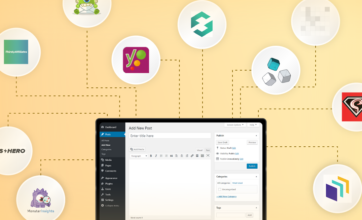
General
6 min read
10 Must Have WordPress Plugins for Business Websites in 2026
1. Yoast SEO
 Today there’s a constant influx of the users using search engines like Google and others. Moreover, that number is ever increasing. Also, there’s no doubt that the traffic from these search engines is one of the primary sources of leads for any website.
The significance of search engine optimization has become more relevant than ever before.
Yoast SEO plugin helps in search engine optimization of your WordPress business website.
It helps create better content using its inbuilt SEO analysis tool, which analyzes different aspects of copy text such as post title, focus keyword, meta description and among other things which helps improve the ranking of your website on search engines.
A beginner guide for this plugin can be found here.
Today there’s a constant influx of the users using search engines like Google and others. Moreover, that number is ever increasing. Also, there’s no doubt that the traffic from these search engines is one of the primary sources of leads for any website.
The significance of search engine optimization has become more relevant than ever before.
Yoast SEO plugin helps in search engine optimization of your WordPress business website.
It helps create better content using its inbuilt SEO analysis tool, which analyzes different aspects of copy text such as post title, focus keyword, meta description and among other things which helps improve the ranking of your website on search engines.
A beginner guide for this plugin can be found here.
2.OptinMonster
 Business websites struggle for generating high-quality leads. OptinMonster is a smart lead generation tool that can transform your WordPress website into a lead generation machine.
It is the best lead generation plugin that lets the user create and integrate effective signup forms a.k.a. opt-in forms on the website to collect emails address; helps in building a database out of it.
This user-friendly plugin will let you modify and customize the optin-forms, perform A/B tests, and most importantly it provides analytics and reports for the same.
The plugin comes with a range of pre-built templates, which a novice user can start using to create exceptional opt-in forms in a few minutes. It can be easily integrated with third-party newsletter services like MailChimp, Aweber, Constant Contact, Campaign Monitor etc.
Business websites struggle for generating high-quality leads. OptinMonster is a smart lead generation tool that can transform your WordPress website into a lead generation machine.
It is the best lead generation plugin that lets the user create and integrate effective signup forms a.k.a. opt-in forms on the website to collect emails address; helps in building a database out of it.
This user-friendly plugin will let you modify and customize the optin-forms, perform A/B tests, and most importantly it provides analytics and reports for the same.
The plugin comes with a range of pre-built templates, which a novice user can start using to create exceptional opt-in forms in a few minutes. It can be easily integrated with third-party newsletter services like MailChimp, Aweber, Constant Contact, Campaign Monitor etc.
3.Sucuri Security
 Web Security, in general, is about risk reduction, not risk elimination. Securing a website is not a one-time activity since its always prone to various threats, attacks and is always at risk. Keeping a website secure is a continuous process requiring frequent assessments periodically.
Sucuri Security WordPress plugin is built by a reputable, globally-recognized company named Sucuri Inc which also offers website security software and services to businesses of all sizes around the world.
The plugin is one of the best when it comes to providing security. It protects the WordPress website from potential viruses, malware, as well as from DDoS attacks using its robust safety features.
The plugin monitors the website continuously from a security perspective thus avoiding or eliminating any threats. We can also configure security alerts which notifies whenever there is any suspicious activity happening on the website like, multiple failed attempts when trying to login into the WordPress admin section.
Sucuri’s built-in website firewall filters all the traffic through one of the various Points of Presence that it has around the world. Read more here for more details on how to use this Plugin.
Web Security, in general, is about risk reduction, not risk elimination. Securing a website is not a one-time activity since its always prone to various threats, attacks and is always at risk. Keeping a website secure is a continuous process requiring frequent assessments periodically.
Sucuri Security WordPress plugin is built by a reputable, globally-recognized company named Sucuri Inc which also offers website security software and services to businesses of all sizes around the world.
The plugin is one of the best when it comes to providing security. It protects the WordPress website from potential viruses, malware, as well as from DDoS attacks using its robust safety features.
The plugin monitors the website continuously from a security perspective thus avoiding or eliminating any threats. We can also configure security alerts which notifies whenever there is any suspicious activity happening on the website like, multiple failed attempts when trying to login into the WordPress admin section.
Sucuri’s built-in website firewall filters all the traffic through one of the various Points of Presence that it has around the world. Read more here for more details on how to use this Plugin.
4.W3 Total Cache
 Page load speed of the website is one of the important aspects to keep in mind while building a WordPress website. Page speed gives better user-experience since website visitor will switch to another website if the page load time is more than a few seconds. Also from the SEO perspective page speed helps boost the rankings on search engines like Google.
Page load times can be improved using caching techniques. It is one of the primary ways to significantly improve website performance.
To leverage caching in WordPress, a plugin such as W3 Total Cache helps a lot.
This plugin when configured will help cache posts & pages as static HTML files so that when the user requests the same page again, the cached version of it is served to the user. This helps avoid server serving the same page to the same visitor.
The main advantage of this is that the page load time of cached pages is significantly low which helps optimize the site performance.
W3 Total Cache also offers transparent content delivery network integration with different types of CDN (mainly Origin Push or Origin Pull) to further optimize the site's performance.
Page load speed of the website is one of the important aspects to keep in mind while building a WordPress website. Page speed gives better user-experience since website visitor will switch to another website if the page load time is more than a few seconds. Also from the SEO perspective page speed helps boost the rankings on search engines like Google.
Page load times can be improved using caching techniques. It is one of the primary ways to significantly improve website performance.
To leverage caching in WordPress, a plugin such as W3 Total Cache helps a lot.
This plugin when configured will help cache posts & pages as static HTML files so that when the user requests the same page again, the cached version of it is served to the user. This helps avoid server serving the same page to the same visitor.
The main advantage of this is that the page load time of cached pages is significantly low which helps optimize the site performance.
W3 Total Cache also offers transparent content delivery network integration with different types of CDN (mainly Origin Push or Origin Pull) to further optimize the site's performance.
5. CSS Hero
 The plugin allows us to customize the look of your WordPress website. It helps style any element on websites such as background, color, size, margin, padding, and among other things.
It also allows us to save various versions of the designs so that they can be compared later, making it easier to decide which design looks better before activating the same.
CSS Hero plugin is loved by WordPress users since now they can design their website without knowing any technical stuff such as HTML & CSS and among other things.
The plugin allows us to customize the look of your WordPress website. It helps style any element on websites such as background, color, size, margin, padding, and among other things.
It also allows us to save various versions of the designs so that they can be compared later, making it easier to decide which design looks better before activating the same.
CSS Hero plugin is loved by WordPress users since now they can design their website without knowing any technical stuff such as HTML & CSS and among other things.
6. Nivo Slider
 The Nivo Slider is one of the premium WordPress plugins (a lite version is also available) designed by Dev7Studio.
The plugin is famed for being a user-friendly WordPress Content slider creator. The users of the plugin find it easy to use, design & manage sliders on their WordPress website.
Images can be added to the Nivo slider manually or can be imported from existing WordPress media or even can be added from social media platforms such as Instagram, Flickr, Dribble etc.
The Nivo Slider is one of the premium WordPress plugins (a lite version is also available) designed by Dev7Studio.
The plugin is famed for being a user-friendly WordPress Content slider creator. The users of the plugin find it easy to use, design & manage sliders on their WordPress website.
Images can be added to the Nivo slider manually or can be imported from existing WordPress media or even can be added from social media platforms such as Instagram, Flickr, Dribble etc.
7.Super Socializer
 Super Socializer makes integration of Social Login, Social Share and Social Comments on your website a breeze.
Some of the benefits this plugin offers are,
Super Socializer makes integration of Social Login, Social Share and Social Comments on your website a breeze.
Some of the benefits this plugin offers are,
- Social Login: Login using various Social Networks – Facebook, Google, Linkedin, Twitter, Instagram, Xing etc.
- Social Share: Easily add Share and Like buttons of around 90 social networks.
- Social Comments: Add Facebook Comments, Google Plus Comments, Disqus Comments to your Blog.
- Compatible with BuddyPress, bbPress, WooCommerce, and other popular WordPress Plugins.
8.ThirstyAffiliates
 If your website is into monetizing business, or something related to affiliate marketing, then ThirstyAffiliates plugin is the right choice for you. The plugin lets you insert affiliate links directly within blog posts & pages effortlessly.
It is one of the best business plugin designed for bloggers who intend to make money through their website and is also the most favored plugin amongst them.
The plugin helps manage your affiliate links, along with a complete review of its stats showcasing how your links are performing.
If your website is into monetizing business, or something related to affiliate marketing, then ThirstyAffiliates plugin is the right choice for you. The plugin lets you insert affiliate links directly within blog posts & pages effortlessly.
It is one of the best business plugin designed for bloggers who intend to make money through their website and is also the most favored plugin amongst them.
The plugin helps manage your affiliate links, along with a complete review of its stats showcasing how your links are performing.
9.Monster Insights
 MonsterInsight is one of the most powerful plugin which effortlessly connects Google analytics with your website. It makes easy for you to review the analytics of the website right in the WordPress dashboard.
The plugin is easy to set-up as all you need to do is connect it with your Google Analytics account. The plugin lets you see all crucial metrics right from the WordPress dashboard eliminating the need moving back and forth between Google analytics account and WordPress.
MonsterInsight is one of the most powerful plugin which effortlessly connects Google analytics with your website. It makes easy for you to review the analytics of the website right in the WordPress dashboard.
The plugin is easy to set-up as all you need to do is connect it with your Google Analytics account. The plugin lets you see all crucial metrics right from the WordPress dashboard eliminating the need moving back and forth between Google analytics account and WordPress.
10. AdSanity
 If you are looking for a “simplified Ad management” tool for your WordPress website then Adsanity is the perfect plugin to do the same. Its one of the best plugin in its category offering management of self-hosted and network ads on your WordPress site.
This plugin has a user-friendly interface from where you can create and manage your Ad campaigns. Users can also see how their ads are performing along with essential statistics such as the number of views and clicks.
If you are looking for a “simplified Ad management” tool for your WordPress website then Adsanity is the perfect plugin to do the same. Its one of the best plugin in its category offering management of self-hosted and network ads on your WordPress site.
This plugin has a user-friendly interface from where you can create and manage your Ad campaigns. Users can also see how their ads are performing along with essential statistics such as the number of views and clicks.
Conclusion
As mentioned above, the list comprises of the best WordPress plugins in terms of- Security
- SEO friendly
- Page Speed optimization
- Marketing and social media plugins
General
3 min read
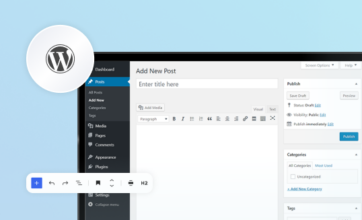
What is Gutenberg WordPress editor? An Intro with its Pros and Cons
What is “Gutenberg WordPress Editor”
The Gutenberg WordPress editor replaces TinyMCE which was traditional and the default content editor (for years) and is its now a part of the WordPress core. This new WordPress update is named after “Johannes Gutenberg” the founder of the printing press (invented it probably 500 years ago) which was equipped with the mechanical movable type technology. The primary aim of this new update is to make the editing experience of WordPress more user-friendly and enjoyable for everyone.
Top Pros of Gutenberg WordPress Editor
- If you are familiar and love the “Medium style” editing experience, then you will “feel at home” when using the Gutenberg editor, as it also gives a similar editing experience.
- “Blocks” are the building blocks of this editor. This helps a more integrated editing experience and offers a unique way to create pages and posts in case if you are thinking to start a blog.
- It’s a drag and drop visual editor hopefully eliminating the need of any third-party drag drop page builders.
- Gutenberg editor is extremely user-friendly as the web pages you’d be designing are by default mobile friendly furthermore, it lets you do the editing on the go.
- The best part of it is, It provides the user with a distraction-free view (thanks to more screen space this editor gives ) so that more focus is on content and the design of the web pages.
Top Cons of Gutenberg WordPress Editor
- Gutenberg editor currently has partial support for meta boxes. Meta boxes allowed the addition of extra metadata to pages/posts. Websites built until now relied heavily on Metaboxes (post meta). The Gutenberg official documentation recommends porting of PHP meta boxes to blocks.
- Even though the Gutenberg editor offers responsive designs, it doesn’t support responsive columns yet. This is believed to be a temporary issue and will be fixed soon.
- WordPress currently has thousands of plugins and themes, making them work with Gutenberg editor is quite challenging and will take time.
- Existing sites which have lots and lots of content may face a challenge to migrate content from classic editor to Gutenberg blocks.
- Developers have to keep iterating their plugins and themes alongside the changes in Gutenberg editor which is likely to happen.
Final Thoughts
Since its inception “Gutenberg editor” has stirred some controversies and continuing to do so. Amid these controversies, it saw the light of day for which it was destined. There are mixed reactions from the WordPress community, some of them are considering is at a bold and thoughtful move for WordPress ecosystem while others describing it is a big disaster. As of now, the majority of WordPress Plugins and themes do not support Gutenberg editor architecture. All we can do is to wait till these themes and plugins adapt to this new change for good. There is no doubt that Gutenberg is the next generation editor but still needs a lot of improvements and has a long way to go. Let's see how Gutenberg editor evolves with time. Till then, Get in touch with our team for building Enterprise WordPress Websites and Apps.
WordCamps
3 min read
All you need to know about Upcoming WordCamp in Pune 2019
Hold on, But What is a WordCamp?
“WordCamps are casual, locally-organized conferences covering everything related to WordPress.”
It is organized by volunteers from the WordPress community where WordPress developers, designers, writers/bloggers, and casual users can attend this conference, exchange ideas, get to know each other and mingle in an informal setting. It helps attendees learn new things, catch up on the latest trends in WordPress, hear from experts exchanging their views, ideas, experience and more. Besides this, it’s also a networking platform with like-minded people from the WordPress community all gather under one roof. For sure this WordCamp in Pune will be one of the best conferences happening in the year 2019.WordCamp Pune 2019 Details
The preparations are in full swing for WordCamp Pune 2019 (abbreviated as WCPune hereafter) which started way back in 2013. Here are details for the Conference, Date : Feb 16, 2019. Venue : CV Raman Auditorium IISER Pune. Dr. Homi Bhabha Road, Ward No. 8, NCL Colony, Pashan, Pune, Maharashtra 411008. You can get the directions of the venue from here.Talks in the WCPune 2019 Conference
This WordCamp has exciting talks lined up, and as we move closer to the event date, more speakers along with their topics will be announced. Here are few details about the talks announced until now. To start with, Vaidehi Singh Sharma a Digital Marketer from Pune will talk about a fascinating and debatable topic (for years) Remote Job Or 9 Hours Office?. Covering Daily Stories. She will be discussing the difference between a remote job versus a full-time office-based job. Attendees are going to enjoy this one, especially the real stories. Next talk is from Ionut Neagu an Entrepreneur from Bucharest, Romania will talk about The Good, The Bad and The Ugly of SEO. He will shed some light on SEO myths and how to debunk them with practical examples. Further speaker lined up is Vikram Kulkarni from Pune. He will talk on Backups, Restore and Migration for WordPress. This talk aims to shed light on best practices of taking backups, restoration them and also how to tackle the migration issues of moving between the development stage and Production environment. As of now the official schedule of WordCamp Pune 2019 is still not published. Above para lists down speakers with their topics announced until now. For more updates for upcoming speakers tune in to this link.WPoets at #WCPune conferences until now
We participated in all WC Pune Conferences until now. Our involvement in these conferences was right from attending it to help co-organizing it. Here is a quick rundown of WPoets at all WCPune conferences till now.WordCamp Pune 2013
It was first ever WordCamp in Pune which happened on 23rd & 24th of February, 2013. We participated in speaking at that WordCamp. Here is the list of the sessions that we delivered

"Power of WP Query” - A Talk by Savita Soni

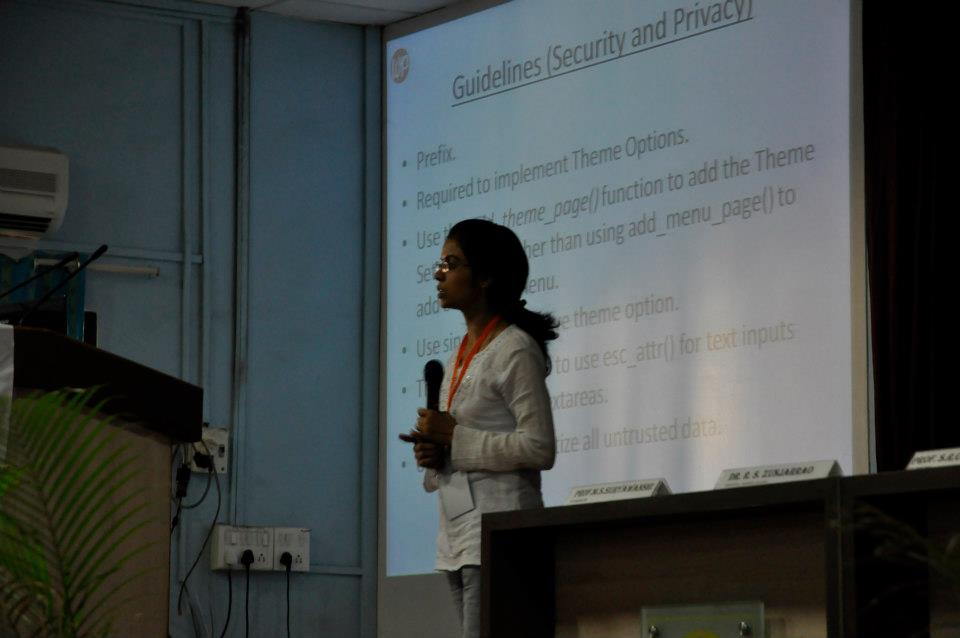
“How to get your themes in WordPress.org repository or theme repo” -A Talk by Nisha Singh
WordCamp Pune 2015
-
- Participated in panel discussion on the topic “The Business of WordPress.”
- Conducted a session on “Building a Good Quality WordPress theme” - by Nisha Singh

“Building a Good Quality WordPress theme” – A Talk by Nisha Singh
WordCamp Pune 2017
This time also we helped co-organize the event. We conducted the following session.-
- "Building a Fintech Startup on WordPress.” - by Vikas Kumar
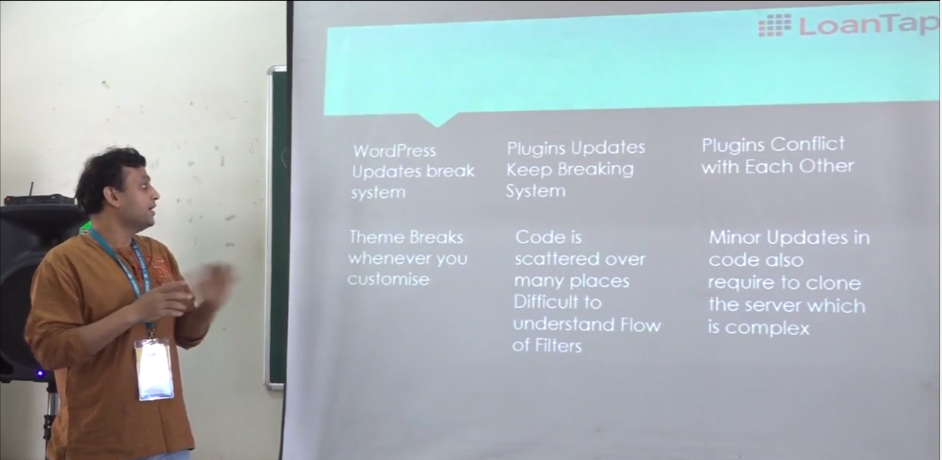
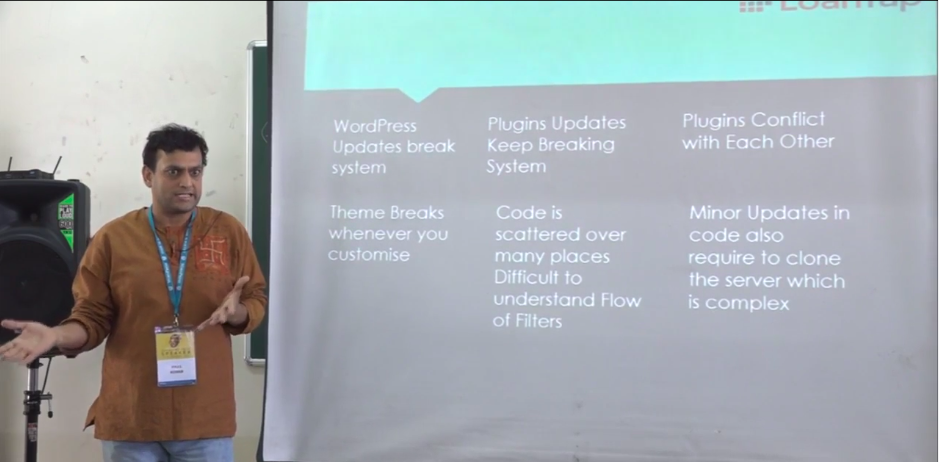
"Building a Fintech Startup on WordPress.” - A Talk by Vikas Kumar
Closing Thoughts
Past WordCamps in Pune has witnessed an influx of attendees from WordPress fraternity. This year the number has already reached 300+ attendees. We are attending this conference, and shortly we would publish what we experienced about it. More information regarding this WordCamp can be found here. Also, follow the official twitter and facebook page of WCPune for further updates. We are going to tweet live updates right from the conference on WPoets channel. See you at the Conference.
General
4 min read
Continuous Improvement - Your website will become worthless if you don't opt for this strategy!
Insight-Driven
Continuous Improvement is a largely data-driven process. It involves testing and analyzing the elements of the current website and performing alterations on the basis of your goals. [aw2.module slug='pullquote' pull_class='float-right'] [aw2.this html] Continuous Improvement is a largely data-driven process involving testing and analyzing the elements of the current website and performing alterations on the basis of your goals. [/aw2.this] [/aw2.module] For example, if on the basis of analytics data, if a pop-up advertisement about your product on the home page is followed by a large number of drop-offs, you can change or remove that advertisement. Similarly, by running speed-tests of your pages and performing iterations over the different elements on your site, you can decide which parts to keep and which ones to let go off. By putting your website on a Continuous Improvement Cycle, you can know what’s working and what’s not working at different stages due to which it will be easy to make informed design decisions. It is also an important step toward getting to know what your customers want!Adaptive to Changes
The market is changing every minute. In the age of constant digital innovation, a strategy like Continuous Improvement has become a prerequisite. In today’s dynamic and competitive market, it is essential to nurture a website and not only create it. By consistently gathering insights about your site, it will be easier to give your site a fresh, modern and up-to-date feel. For instance, a lot of sites today are being viewed not only on desktop screens but also on all sorts of portable mobile devices. With Continuous Improvement, it will be easier to keep up with these shifts and make your business appear adaptive and brand new at all times.Optimised & Viable
Search-engine optimization is a vital element aimed at increasing the ranking of a website and it is an intrinsic part of Continuous Improvement. By making smaller changes over a larger period of time you not only make your site more in-tune with the shifts in the market but you also maintain the SEO ranking of your site along the way. If you look at any of the leading websites today, you will observe that they have made tiny changes over a long period of time instead of sudden transformations. Be it Amazon or Youtube, they have undergone changes continuously and consistently and in that process, maintained their huge popularity and high ranking.Helps Consistent Development
Continuous Improvement eliminates the need for short term remedies and instead becomes a constant, ongoing process for the maintenance and development of your website. [aw2.module slug='pullquote' pull_class=''] [aw2.this html] Continuous Improvement eliminates the need for short term remedies and instead becomes a constant, ongoing process for the maintenance and development of your website. [/aw2.this] [/aw2.module] A successful website remains relevant, viable and up-to-date in the long run. Continuous Improvement enables such consistent development. Be it the regular updations, backups, strengthening security, regular scans for malware or adopting new features, the Continuous Improvement strategy will ensure that the site is well-equipped and efficient at all times. Moreover, problems would keep popping up, but by adopting this strategy, it can be possible to pre-empt certain events and be one-step ahead of the tumultuous shifts in the online sphere. For overall development, it is always advisable to undertake a durable strategy rather than short-lived solutions.Keeps up with your Brand
A website is essentially a window giving the consumer a sneak-peek into your brand’s world. It has to be reflective of what your brand stands for. By conducting Continuous Improvement, your website will be able to keep up with the brand-image at all times. Moreover, a website must always nudge the consumers toward becoming associated with your brand in some way or the other. The website must convert visitors into customers. This can be achieved by examining the visitors of your website, their behavior, and their paths and by using these insights to incur higher traction over a longer period of time.