AEM to WordPress Migration: Expert-Led Migration for Enterprise Teams

Marketers, why settle for complexity when you can embrace simplicity? Migrate from AEM to WordPress and watch your content management become a breeze, without losing your impact.

Trusted Worldwide for WordPress Excellence

Group-3
Group-4
Vector
Group-13579
Vector-5
Group-5

Why AEM to WordPress Migration Service Matters

An AEM to WordPress migration helps enterprise marketing teams move content, assets, and site data from Adobe Experience Manager to the WordPress platform with minimal disruption while gaining a CMS that is easier to manage, faster to update, and less expensive to run.

AEM is a powerful platform built for large enterprises, but its complexity and maintenance requirements can make it challenging to manage. WordPress offers a simpler, more user-friendly alternative that still supports enterprise websites, integrations, and long-term growth.

The practical case for switching, including migration benefits, cost-effectiveness, customizable themes, SEO gains, scalability, responsive design, the migration process itself, and the ongoing support needed after launch.

Many organizations move to WordPress to reduce the complexity and ongoing costs associated with AEM. With an easier-to-manage platform, teams can publish content faster and spend less time on day-to-day maintenance.

Key features

Easy Migration Process

Cost-Effective Management

Customizable Themes & Plugins

Enhanced SEO Capabilities

Scalable for Growth

Responsive & Mobile-Ready

Easy AEM to WordPress migration process

We begin by auditing your existing content and digital assets, then map everything to the appropriate WordPress structure. Because large AEM migrations can be complex, we create a detailed content inventory and recommend a temporary content freeze to ensure your content is transferred accurately with minimal risk of errors.

Cost-effective AEM to WordPress migration

Many organizations choose WordPress because it delivers the flexibility they need without the high costs often associated with AEM. Licensing fees, ongoing maintenance, and custom development can make AEM more expensive over time.

Custom themes and plugins after AEM migration

Choose from WordPress’s extensive plugin ecosystem and thousands of themes to tailor your site to your business needs, though some AEM custom components and custom features may not have direct WordPress equivalents and require custom development.

Teams should also evaluate existing custom functionality and map it to WordPress equivalents where possible. In many cases, custom post types can recreate complex content structures from AEM within WordPress.

SEO improvements with AEM to WordPress migration

Leverage powerful SEO tools in WordPress that help optimize your site and increase organic reach. During migration, metadata preservation, redirects, and internal links matter, and fixing broken links helps protect visibility in search engines.

Scalable website growth after AEM migration

WordPress scales with your business, supporting enterprise websites and high traffic. With the right hosting and infrastructure, WordPress can handle millions of visitors while delivering reliable performance.

AEM also delivers strong enterprise performance, but its architecture often depends on more complex infrastructure and caching layers that require additional management.

Responsive design with AEM to WordPress migration

With responsive themes, WordPress ensures your website performs well on any device. Its intuitive dashboard simplifies content creation, so marketing teams can publish a blog post and handle routine publishing and updates without unnecessary technical steps. It gives teams all the tools they need for routine updates.

Easy Migration Process

We begin by auditing your existing content and digital assets, then map everything to the appropriate WordPress structure. Because large AEM migrations can be complex, we create a detailed content inventory and recommend a temporary content freeze to ensure your content is transferred accurately with minimal risk of errors.

Cost-Effective Management

Many organizations choose WordPress because it delivers the flexibility they need without the high costs often associated with AEM. Licensing fees, ongoing maintenance, and custom development can make AEM more expensive over time.

Customizable Themes & Plugins

Choose from WordPress’s extensive plugin ecosystem and thousands of themes to tailor your site to your business needs, though some AEM custom components and custom features may not have direct WordPress equivalents and require custom development.

Teams should also evaluate existing custom functionality and map it to WordPress equivalents where possible. In many cases, custom post types can recreate complex content structures from AEM within WordPress.

Enhanced SEO Capabilities

Leverage powerful SEO tools in WordPress that help optimize your site and increase organic reach. During migration, metadata preservation, redirects, and internal links matter, and fixing broken links helps protect visibility in search engines.

Scalable for Growth

WordPress scales with your business, supporting enterprise websites and high traffic. With the right hosting and infrastructure, WordPress can handle millions of visitors while delivering reliable performance.

AEM also delivers strong enterprise performance, but its architecture often depends on more complex infrastructure and caching layers that require additional management.

Responsive & Mobile-Ready

With responsive themes, WordPress ensures your website performs well on any device. Its intuitive dashboard simplifies content creation, so marketing teams can publish a blog post and handle routine publishing and updates without unnecessary technical steps. It gives teams all the tools they need for routine updates.

What Clients Say

What Clients Say

Play

quote

WPoets team is hands on and interacts continuously with clients in understanding the business. Now for over 3 years we have been working with their continuous improvement program and results are measurable. Visitor rates have increased consistently and business from online visitors has seen considerable improvement.

piyush
Dr. Piyush Gupta

MD, GNH India

Dr. Piyush Gupta
Dr. Piyush Gupta

MD, GNH India

logo

quote

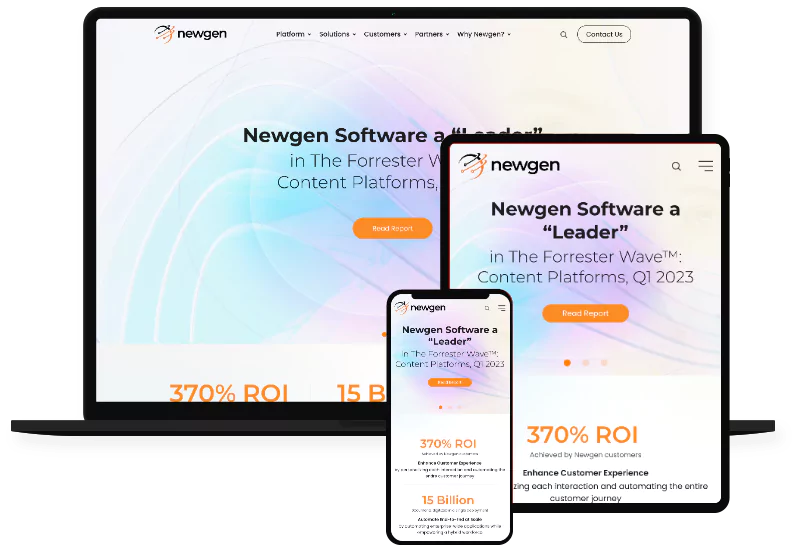
Our new website is a game-changer. The migration of over 2,000 pages was handled flawlessly, and the final design is modern, fast, and intuitive. Updating content is now effortless—our marketing efforts are stronger than ever!

Newgen Soft Marketing Team

Newgen Soft Marketing Team

logo

quote

Hi WPoets team, Thanks a lot for your efforts to improve the mobile performance of our website. It has improved from 60 to 89 now It’s a significant jump and extremely important for providing a good experience to our website users and improving the overall SEO.  Keep up the good work.

Kulwinder Singh

Lead: Demand Generation

Kulwinder Singh
Kulwinder Singh

Lead: Demand Generation

logo

Process we follow

01

Assessment & Consultation

We start with a detailed assessment of your AEM environment, reviewing your content architecture, custom functionality, integrations, workflows, and hosting setup. Based on our findings, we develop a migration strategy tailored to your business needs.

We define a realistic project scope, clear timelines, key milestones, and potential risks, treating the migration as a redesign of your content platform rather than a direct copy. Doing this brings predictability to the project and aligns the team ahead of the migration

02

Data Backup

All your data is safely backed up to avoid any potential data loss during the migration process.

03

Migration Execution

We carefully migrate content, media, users, and essential functionality from AEM to WordPress as part of a structured migration process while preserving your website’s structure, SEO, and data integrity. Since AEM and WordPress organize content differently, we carefully map your content, user roles, permissions, and workflows to fit the WordPress environment.

Content in AEM is often structured with nodes, while WordPress uses relational database tables, so we redesign the content structure where needed to ensure everything works seamlessly after migration. Your internal team can also review mapped workflows during the transition.


04

Theme Development

We recreate your AEM design on WordPress by rebuilding custom templates and adapting your site’s functionality to the WordPress ecosystem. Migrating digital assets can be complex because AEM includes built-in Digital Asset Management (DAM), so we carefully transfer and organize your media to ensure everything works correctly after migration.

05

Launch & Ongoing Support

Before launch, we thoroughly test your new WordPress website with quality assurance to make sure everything works as expected for a seamless migration, including your content, functionality, integrations, SEO, and performance. Once everything is ready, we carefully manage the launch for minimal downtime. The launch should support the goals of the new platform rather than simply recreate the old setup.

After your site goes live, we’re here to provide ongoing support with updates, troubleshooting, monitoring, and team training, so your website continues to run smoothly.

Why choose us

01

Expert Migration

We carefully migrate your content, data, and important functionality from AEM to WordPress, delivering a seamless AEM to WordPress migration that helps ensure a smooth transition with minimal risk of errors or data loss.

02

Customized Solutions

We tailor your new WordPress website to meet your specific business needs and objectives. We assess and rebuild AEM integrations, Adobe tools, and other third-party tools so they integrate seamlessly on WordPress, including marketing automation where needed.

03

Speed and Efficiency

With WordPress’s fast content management, we guarantee quicker turnaround times and more efficiency. WordPress simplifies day-to-day content management, making it easier for marketing teams to create, edit, and publish content quickly.

04

Ongoing Support

We offer continuous support and training to ensure your new WordPress website remains optimized. We train your team to confidently manage content, create new pages, and handle routine website updates after launch.

What Clients Say

View all testimonials

Why should I migrate from AEM to WordPress?

WordPress offers greater ease of use, lower costs, and a larger range of customization options, making it a smarter choice for many businesses. AEM is a powerful platform built for large enterprises, especially those already invested in the Adobe ecosystem. But if your team doesn't need every enterprise feature, it can feel unnecessarily complex and expensive.

Many organizations end up paying for capabilities like AEM Forms or advanced cloud services that they rarely use, and because every AEM setup is unique, it can also be more than a business actually needs. WordPress stands out as a flexible alternative for organizations that do not need the full Adobe stack.

Will my content and data be safe during migration?

Absolutely! Protecting your content is a top priority. We create secure backups before migration and manage the transfer carefully. We also recommend a temporary content freeze to keep everything aligned until the new WordPress site is ready to launch.

How long does the AEM to WordPress migration take?

The migration process typically takes between 4 and 6 weeks, depending on the size and complexity of your website.

Will my SEO rankings be affected during the migration?

We ensure that your SEO performance remains intact by carefully managing redirects, metadata, and on-page SEO elements.

Before launch, we benchmark key metrics in Google Analytics and, where relevant, map data from Adobe Analytics; after launch, we monitor the migrated website against those SEO baselines to confirm that SEO performance often improves post-migration with WordPress.

What kind of post-migration support do you offer?

We continue to support you even after the migration is complete. From team training and regular updates to troubleshooting and reconnecting your marketing platforms, we make sure your WordPress website runs smoothly. We also help integrate third-party tools and replace Adobe Target or similar services with WordPress-compatible alternatives where needed.

Thanks to WordPress's rich plugin ecosystem, connecting third-party tools is usually simple, and when configured correctly, WordPress secure setups can meet enterprise requirements while keeping your website reliable.

If you have reached here. Hop onboard!

And get ready to do more with your website. Just click the button below and someone from our team shall get in touch with you.