



Is your website running on Umbraco 16? Here’s what happens next.
You wake up one morning to find your website has been compromised…
Customer data is exposed… Your team is scrambling… And when you dig into what went wrong, the answer is uncomfortable: your CMS hadn’t received a security patch in months.
This is exactly what can happen when you keep running a CMS past its end of life.
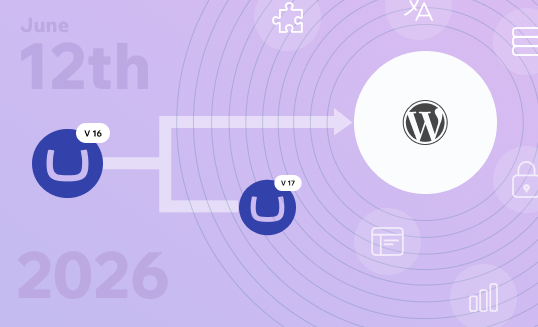
Umbraco 16 reached the end of life on June 12, 2026, after which, Umbraco stopped releasing security patches for version 16.
No bug fixes. No updates. No official support if something breaks.
Your site will still load… Your pages will still work… But every day you stay on an unsupported version, the risk quietly grows.
So you have a decision to make.
Do you upgrade to Umbraco 17 and stay in the Umbraco ecosystem? Or is this the right moment to step back and ask if WordPress is a better fit for where your business is headed?
Both are valid paths. And this post walks you through each one so you can choose with confidence.
What Does “End of Life” Mean for Umbraco 16?
End of life means the people who build and maintain Umbraco stop looking after that version.
No more fixes. No more patches. No more help if something goes wrong.
Here is what that looks like in practice for Umbraco 16.
The Official Timeline
Umbraco 16 is a standard release, which means it gets a shorter support window than a long-term support version.
Full support for version 16 has already ended. The final phase, where only security patches were being released, ended on June 12, 2026.
After that date, version 16 is on its own.
If you are looking for a supported path forward within Umbraco, version 17 is the one to be on. It is the current long-term support release and is supported until November 27, 2028.
Worth noting: Umbraco 13 is also a long-term support release, but its support ends on December 14, 2026. So if you are on version 13, thinking you have more time, that window is closing fast, too.
Your Site Still Works. So, Why Act Now?
This is the part that trips a lot of teams.
After June 12, 2026, no Umbraco 16 sites went offline. Pages still load. Forms still submitted. Everything looks fine on the surface.
But “fine on the surface” is not the same as “safe.”
Think of it like a building where the locks stop getting maintained. The building is still standing. But if someone finds a new way in, no one will come to fix the gap.
Once Umbraco 16 reaches end of life, these things stop:
- Security patches for newly discovered vulnerabilities
- Bug fixes for issues that get reported
- Updates to stay compatible with newer browsers, third-party packages, and server environments
- Official support when something breaks, and your team needs help
The longer you wait, the more exposure you carry.
Security, Compliance, and Business Risk
For small sites, the risk is mostly about security.
For enterprises, it goes further than that. Standards such as GDPR, ISO 27001, and SOC 2 require organizations to run actively supported software.
Running an unsupported version is not just a technical problem. It is a governance problem.
- It can show up as a finding in a security audit.
- There is also an operational risk that builds slowly and quietly.
- The tools and services your site connects to keep updating on their own schedules. Over time, those updates stop being compatible with a version that is no longer being maintained. Integrations start breaking.
- Workarounds pile up.
- The cost of staying grows.
And if a breach happens while you are running unsupported software, explaining that to customers, partners, or regulators is a difficult conversation to have.
Acting now is not about panic. It is about making a planned, controlled decision before the situation forces one on you.
So, What Are Your Options?
You have two clear paths in front of you.
You can upgrade to Umbraco 17 and stay within the Umbraco ecosystem. Or you can use this moment to move to WordPress and build on a platform that may serve your team better for the next decade. Both are solid choices.
The right one depends on your team, your setup, and where you want to be two or three years from now. Let’s look at each one honestly.
Option 1: Upgrade to Umbraco 17
What Is Umbraco 17?
Umbraco 17 is the latest long-term support release. That means it is the version Umbraco officially backs for an extended period, with support running until November 27, 2028.
It is built on .NET 10, which is a meaningful foundation upgrade. The platform is faster, more stable, and better aligned with how modern .NET development works.
Here is what improved from version 16:
- Faster overall performance
- Consistent date and time handling across the system (everything now works in UTC)
- A cleaner, more modern content editor that has been evolving since version 14
- Stronger alignment with current .NET development standards
- A large number of bug fixes. Version 17.0.0 alone shipped with 169 fixes and improvements
If you are already in the Umbraco ecosystem, version 17 gives you a stable home for the next few years.
Is the Upgrade from v16 to v17 Complicated?
The honest answer: less complicated than previous upgrades, but that doesn’t mean it’s easy.
If you moved from version 13 to version 14, that was a significant undertaking. The jump from version 16 to version 17 is much smoother by comparison. Developers who have gone through it describe it as far less disruptive.
That said, there are a few things to be aware of before you start:
- Date values stored in the system are now automatically converted to UTC. The migration runs on its own, but you should verify your data after
- Some older parts of the version 16 codebase that were marked for removal have now been removed in version 17
- Third-party packages may not yet be compatible with version 17. Check this before you begin
- Any custom extensions built for the older back office will need to be reviewed
For a clean, lightly customized version 16 site, the upgrade is manageable.
For sites that have heavy custom builds, older packages, or complex integrations, expect more planning and testing time.
When Does Upgrading to v17 Make Sense?
Staying in the Umbraco ecosystem is the right call if:
- Your development team works in .NET and knows Umbraco well
- You are on Umbraco Cloud and benefit from its managed setup
- You actively use Umbraco-specific products like Umbraco Commerce, Umbraco Engage, or Umbraco Workflow
- Your site is relatively clean with no major legacy customizations
- You are not planning a platform change right now
One more thing worth thinking about. Umbraco has been around for over 20 years and shows no signs of going anywhere.
If your team is already invested in the platform, staying and upgrading is a good long-term decision. The question is whether the platform still fits how your business operates today.
Option 2: Migrate from Umbraco 16 to WordPress
Why EOL Is the Right Moment to Rethink Your Platform
Here is something worth sitting with.
Umbraco’s end of life forces you to act. And since you are already making a change, it is worth asking a bigger question: is Umbraco still the right platform for how your team actually works today?
Many organizations adopted Umbraco years ago because their development team worked in .NET or because the platform gave them the control they needed at the time. That was the right call then.
But digital teams have changed. Marketing teams are bigger. Content moves faster. SEO, campaigns, and digital growth are now owned by non-developers, who often feel the friction of Umbraco every single day.
So the question is no longer just “does this CMS work?” It is, “Does this CMS work for how we actually operate today and how we want to operate three years from now?”
What Decision-Makers Are Really Weighing
If you are the person building the case for a migration internally, you already know the hardest part is not the technology. It is getting buy-in from people who are weighing cost, risk, and disruption.
Here is what is typically keeping leadership up at night:
- “What does this cost, and is the ROI clear?”
- “How long will the site be disrupted during migration?”
- “What happens to our SEO rankings?”
- “Can we actually maintain this new platform without adding headcount?”
- “Are we trading one set of problems for another?”
These are fair concerns. And WordPress, when implemented properly by the right team, addresses all of them directly.
- Lower ongoing development cost.
- A faster content workflow.
- A larger talent pool.
- Better SEO tooling out of the box.
- A platform with no forced version migrations every few years.
Why More Enterprises Are Moving to WordPress
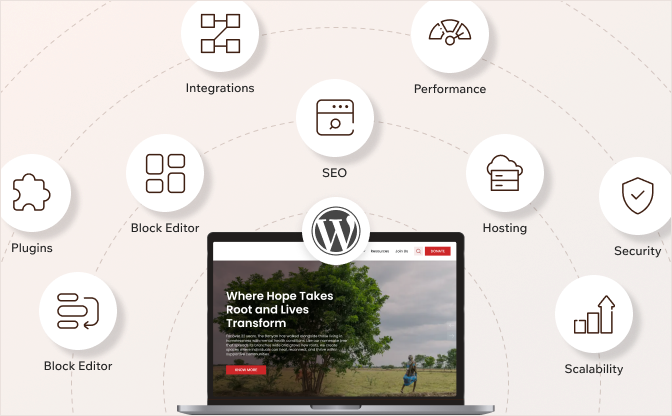
WordPress powers over 40% of all websites on the internet. That includes large enterprises, global media companies, and complex multi-site platforms. It is not just a blogging tool. It is a mature, enterprise-ready platform.
Here is why it keeps coming up as the alternative to Umbraco:
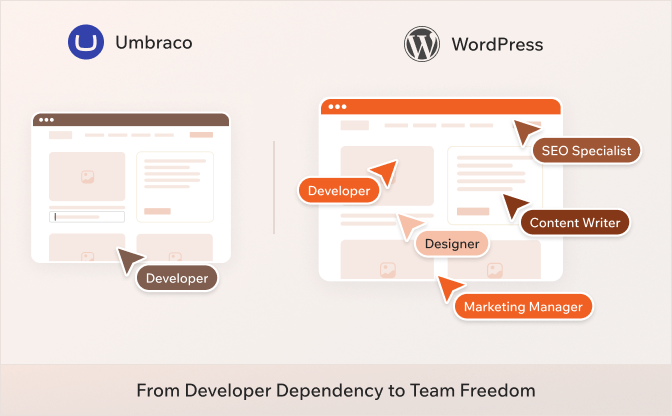
Your marketing team can actually work on their own
In Umbraco, even small layout or content changes often need a developer. That means tickets, wait times, and a content team that cannot move at the speed the business needs.
WordPress’s block editor lets marketing and content teams create pages, update layouts, and publish without waiting on anyone. Developers still handle the complex stuff. But the day-to-day is no longer a bottleneck.
Hiring becomes much easier
Umbraco runs on .NET. That is a smaller, more specialized talent pool. Finding developers who know the platform well takes time and costs more.
WordPress has one of the largest developer communities in the world. Whether you are hiring in-house, working with freelancers, or partnering with an agency, finding skilled WordPress talent is faster and generally more cost-effective.
A much bigger ecosystem of tools and integrations
Umbraco supports extensions, but the library is limited. Most enterprise marketing tools, CRMs, analytics platforms, and personalization engines have direct WordPress integrations available as plugins.
That means less custom development to get your stack connected, and a faster time to market when you want to add something new.
Better SEO without custom builds
WordPress has mature, well-tested SEO plugins like Yoast and Rank Math. Clean URL structures, XML sitemaps, structured data, and image optimization without writing a single line of custom code.
In Umbraco, getting to the same level of SEO capability usually requires custom development work.
No vendor lock-in
WordPress is open source. You own your codebase, choose your hosting, and tools. You are not tied to any single company’s roadmap or pricing decisions.
If a better tool comes along, you can bring it in without rebuilding your entire platform.
WordPress Is Enterprise-Ready
A common hesitation we hear is: “But is WordPress really built for enterprise?”
The short answer is yes.
WordPress handles high-traffic sites, complex multi-site setups, multilingual platforms, and sophisticated integrations. Explore our case studies to see it in action.
Managed WordPress hosting providers like Kinsta, Pantheon, Hostinger, and Bluehost offer infrastructure built for enterprise scale: automatic scaling, CDN delivery, daily backups, uptime monitoring, and proactive security scanning.
Role-based access control, custom editorial workflows, and governance structures can all be implemented. Enterprises with strict compliance requirements use WordPress every day.
The platform has matured significantly. The question is not whether WordPress can handle enterprise needs. It is whether it is the right fit for your specific setup.
Umbraco 17 vs WordPress: A Side-by-Side Look
Still not sure which way to go? This table breaks it down across the factors that actually matter to your team and your business.
| Factor | Umbraco 17 | WordPress |
| Ease of use for content teams | Structured editor with guardrails. Most layout changes still need a developer | Block editor lets marketing teams build and publish pages without developer help |
| Developer talent pool | Smaller pool of specialists. Requires .NET experience | One of the largest developer communities in the world. Much easier to hire |
| Upgrade and maintenance | Version 17 is supported until November 2028. Forced upgrades every few years | Continuous updates. No forced version migrations |
| Plugins and extensions | Around 300 to 400 packages are available | Over 60,000 plugins. Most tools your team already uses have a direct integration |
| SEO tools | Custom development usually required to match enterprise SEO needs | Mature plugins like Yoast and Rank Math are available out of the box |
| Hosting options | Requires .NET compatible hosting. Umbraco Cloud is the managed option | Works on almost any hosting setup. A wide range of managed WordPress hosts is available |
| Multilingual support | Built into the content model natively | Needs a plugin or manual setup |
| Headless architecture | Content Delivery API built in. Strong native headless story | Possible via REST API. Very capable but feels more adapted than native |
| Open source | Yes, MIT license | Yes, GPLv2 |
| Vendor dependency | Tied to Umbraco’s roadmap and product decisions | Community governed. No single vendor controls the platform |
| Cost | Free core CMS. Umbraco Cloud and add-ons like Commerce and Workflow are paid | Free core CMS. Hosting and premium plugins are the main costs |
| Long-term support | Version 17 supported until November 27, 2028 | No forced EOL cycles. Updates are continuous |
In short, Umbraco 17 gives you a clean, structured platform if your team is already in the .NET world. WordPress gives you speed, flexibility, and a much bigger ecosystem if your team wants to move fast and stay independent.
So, Which Path Is Right for You?
There is no universal right answer here. The best choice is the one that fits how your team works and where your business is headed.
Here is a simple way to think about it.
Choose Umbraco 17 if:
- Your development team works in .NET and already knows Umbraco well
- You actively use Umbraco-specific products like Umbraco Commerce, Umbraco Engage, or Umbraco Workflow
- Your site is on Umbraco Cloud, and the upgrade from version 16 is straightforward
- You want to stay on a single, structured platform without changing your tech stack
- Your site has minimal customizations, and the move to version 17 is a clean lift
If most of these apply to you, upgrading is the logical next step. Plan it properly, test thoroughly, and you will be in a good place through November 2028.
Choose WordPress if:
- Your marketing team waits on developers for regular content updates and layout changes
- You want access to a larger talent pool and more agency options without paying a premium
- You are not using any Umbraco-specific products that would need to be replaced
- You are already planning a redesign or a structural overhaul of your website
- You want SEO and content workflows that work out of the box without custom builds
- You want the freedom to host anywhere, integrate any tool, and scale without being tied to one vendor’s roadmap
If most of these sound familiar, this EOL moment is a genuine opportunity.
You are already doing the work of a migration. The question is just whether you migrate to version 17 or to a platform that removes the friction your team deals with every day.
Ready to Make Your Move?
Umbraco 16’s end of life is not just a deadline. It is a decision point.
If you are upgrading to version 17, the path is clear. Plan it properly, check your packages, test everything, and you will have a stable platform to work on through 2028.
If you are considering WordPress, this is the right time to make that move. You are already doing the work. The only question is whether you come out of it on a platform that removes the friction your team deals with every day.
The real question is not which platform has more features—it is which one helps your team move faster, and your business grow without constant roadblocks.
If you are leaning toward WordPress, WPoets specializes in Umbraco to WordPress migrations. We handle the full process, from content and structure to SEO preservation and integrations, so nothing gets lost in the move.
Learn more about our Umbraco to WordPress migration service.
Not sure which path makes more sense for your specific setup? A short conversation with our team can bring a lot of clarity. Get in touch here.
Published on Jun 30, 2026 | Updated on Sep 9, 2026