



Introduction
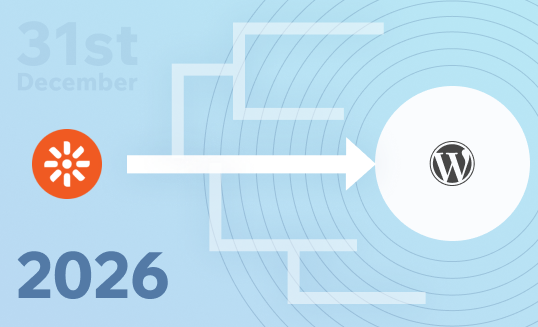
If your enterprise website is running Kentico Xperience 13, an important deadline is approaching. With the end of support set for December 31, 2026, the question is no longer if you need to act; it’s what direction you should take next.
For most enterprises, a CMS isn’t just a publishing tool. It’s what teams rely on every day to launch campaigns, manage content, and support customer journeys across digital channels. It also directly impacts how effectively you generate leads, convert traffic, and scale your digital growth.
As the end of life approaches, it raises real concerns around security, scalability, operational efficiency, and the long-term cost of continuing on an unsupported platform.
Enterprises today are evaluating two clear paths:
- Upgrade to Xperience by Kentico
- Migrate to WordPress
Both are strong enterprise CMS options, but each comes with different trade-offs.
This blog helps various stakeholders understand the risks, options, and key considerations so they can make a well-informed decision for their organization.
Kentico 13 EOL Explained: Timeline, Risks & Impact
Official End-of-Life Timeline
Kentico has published a clear product support lifecycle for Kentico Xperience 13. Understanding each phase is essential before any planning begins.
From January 1 to December 31, 2026, Kentico will offer limited support, focused only on critical security fixes. There won’t be any new features, improvements, or regular updates; this phase is purely about keeping things secure, not moving the platform forward.
From January 1, 2027, support stops completely. There’ll be no security updates, no fixes, and no assistance from the vendor. If you continue using the platform after this, you’re essentially on your own, taking on all the risk and responsibility.
What Happens When Support Ends
When Kentico Xperience 13 reaches the end of life, your website doesn’t suddenly stop working. It continues to run, but that continuity comes with increasing risk over time.
The platform won’t get any security patches, so any new vulnerabilities found after January 1, 2027, will stay open.
Kentico’s support policy makes this clear: once support ends, all risks and liabilities, including those from security incidents, shift entirely to your organisation. This has direct implications for governance and compliance.
Security, Compliance & Business Risks
Running unsupported software in a production environment puts enterprises in a high-risk position. Once Kentico 13 reaches end of life, any new vulnerabilities will have no official fixes, leaving systems exposed. For organizations handling sensitive data like customer records, financial details, or personal information, this risk only grows over time.
From a compliance standpoint, this creates real challenges. Standards and compliance requirements like ISO 27001, SOC 2, GDPR, and HIPAA require organisations to protect data, manage security risks, control access, and maintain supported systems. Running unsupported software can therefore be flagged during audits as an unmanaged risk, even if no incident has occurred. And if something does go wrong, it becomes much harder to justify, often leading to a loss of trust and damage to your enterprise’s reputation.
.NET 6 EOL
Kentico Xperience 13 is built on Microsoft’s .NET 6 framework, which reached end of support in November 2024, adding another layer of risk beyond Kentico’s own EOL.
If you haven’t moved to .NET 8 via Kentico 11 Refresh, you’re running on a fully unsupported stack. This means vulnerabilities at both the CMS and framework levels are no longer being patched, increasing exposure across your entire system.
Kentico Upgrade vs WordPress Migration: Your Two Options
At this stage, organizations typically choose between staying within Kentico or moving to WordPress. The right choice really comes down to what best fits your organization’s needs, priorities, and long-term goals.
Option 1: Upgrade to Xperience by Kentico (XbyK)
Why It’s a Replatform, Not Just an Upgrade
The single most important thing to understand about moving from Kentico 13 to Xperience by Kentico is that it is not a standard version upgrade. Kentico itself describes XbyK as a next-generation platform, architecturally different from Kentico 13 in its foundation, its content model, and its delivery approach.
Templates, custom modules, and back-end code from Kentico 13 cannot be carried over directly. It needs to be rebuilt within XbyK’s architecture. The content model has to be restructured, workflows reconfigured, and integrations set up again. For organizations with heavily customized Kentico 13 installations, this is a full rebuild rather than a simple upgrade.
Key Features: SaaS, Hybrid Headless, AI (AIRA)
Xperience by Kentico introduces capabilities that go beyond what was available in Kentico Xperience 13, representing a significant step forward in how the platform is architected and delivered.
Xperience by Kentico is available in both SaaS and self-managed deployment models. For organizations choosing the SaaS option hosted on Microsoft Azure, much of the infrastructure and platform maintenance overhead is handled by Kentico, including ongoing security updates and platform improvements.
This reduces the need for large version-based upgrade projects, although teams still need to plan for testing, validation, and compatibility checks as updates are introduced.
The platform supports a hybrid headless architecture, enabling organizations to manage content centrally while delivering it across websites, mobile applications, and other digital channels. This makes XbyK a strong fit for teams running complex, multi-channel experiences where consistency and control really matter.
Artificial intelligence is embedded throughout the platform via AIRA, Kentico’s AI assistant. It supports tasks such as content creation, automatic image tagging, metadata generation, and so on.
Since all the data stays within the Kentico environment, this helps address privacy and governance concerns, particularly in regulated industries where data handling requirements are stricter.
Migration Complexity: Low, Medium, High
Migration complexity can vary significantly depending on how your Kentico Xperience 13 implementation has been built. Understanding this upfront helps set realistic expectations around budget, timelines, and effort.
While Kentico provides tools and APIs to support content and data migration, the overall effort typically falls into three broad categories:
- Low complexity: The Kentico Migration Toolkit transfers data directly and accurately into the target XbyK instance. Minimal developer effort is required beyond configuration.
- Medium complexity: The migration tool can transfer data, but considerable developer effort is required to ensure that features function as they did previously in Kentico 13.
- High complexity: In some cases, the team will need to rebuild the feature in XbyK from the ground up, especially if it works very differently, isn’t supported by the migration tool, or isn’t available out of the box on the new platform.
For most enterprises with customized Kentico 13 setups, whether it’s custom modules, complex workflows, or multiple integrations, the migration typically takes about 6 to 9 months, depending on how extensive the setup is.
Option 2 (Recommended): Migrate from Kentico to WordPress
Why Enterprises Are Choosing WordPress over Kentico
- Kentico 13 End-of-Life is prompting a strategic rethink – Since a rebuild is required, many enterprises are taking the opportunity to rethink their CMS choice rather than an upgrade. The conversation is shifting from “Should we upgrade Kentico?” to “Is Kentico still the right platform for us?”
- Marketing independence with WordPress – Kentico’s developer-heavy content model can slow teams down, with even simple updates often needing developer involvement. WordPress, with the Gutenberg block editor, allows marketing teams to create, edit, and publish content independently at scale.
- Wider talent availability and scalability – Kentico has a relatively smaller global ecosystem, which can make hiring experienced developers or onboarding new partners more time-consuming and require significant investment in hiring and retaining talent. WordPress has a much larger talent pool, making it easier to scale teams and onboard new agencies.
- Better alignment with actual business needs – Kentico’s DXP capabilities, such as personalization, marketing automation, and advanced integrations, can be powerful, but not all organizations fully utilize them. For teams primarily focused on content, publishing, and SEO-driven growth, WordPress can offer a more streamlined and cost-effective fit.
- Reduced technology lock-in and better flexibility: Kentico’s foundation in the .NET ecosystem can be advantageous for organizations already aligned with Microsoft technologies, but it may introduce constraints for others. WordPress, built on PHP, integrates more easily across a wider range of hosting environments and technology stacks, offering greater flexibility in how systems are designed and extended.
WordPress for Enterprise
WordPress has a proven track record at the enterprise level, powering high-demand, secure, and complex digital platforms. Its capability at scale is well established, not just theoretical.
WordPress can be moulded as per the needs of the enterprises, whether it’s headless or hybrid architectures, advanced caching strategies, role-based access controls, integration with external systems like CRMs, DAMs, and analytics platforms, or custom workflows; it can be adapted the way enterprises want it
It’s also backed by a mature ecosystem of managed hosting service providers, which offer features such as content delivery networks (CDNs), automated backups, SSL management, uptime monitoring, proactive security scanning, and horizontal & vertical scaling.
These capabilities help organizations achieve operational standards comparable to those typically implemented with platforms like Kentico Xperience 13.
Xperience by Kentico vs WordPress: Key Differences
| Factor | Xperience by Kentico | WordPress |
| Ease of Use for Marketers | Kentico provides a structured content editing experience, often tied closely to predefined templates and workflows. This ensures visual consistency in published content, especially for enterprises with strict approval processes where multiple teams contribute to content on various content types. However, this can introduce dependency on developers, especially when creating new page layouts, modifying components, or launching new campaigns. This can slow down execution as marketing teams have to rely on developers for unsupported out-of-the-box changes. | WordPress is designed with content creators in mind, particularly through the Gutenberg block editor. Marketers can create, edit, and manage their entire content inventory using reusable blocks without needing developer involvement for most tasks. This significantly improves speed and autonomy for marketing teams, enabling faster campaign execution and iteration. While governance still needs to be enforced through user roles and content publishing workflows, WordPress generally offers a more intuitive and flexible editing experience for non-technical users. |
| Marketing Capabilities | Built-in DXP: includes marketing automation, personalization, A/B testing, email campaigns, and analytics in one platform. An “all-in-one” approach can lead to feature bloat or underutilization, where organizations pay for capabilities they don’t fully use. Customizing or replacing parts of the marketing stack can also be restrictive. | Core CMS with extended capabilities via plugins and integrations. Best-of-breed ecosystem approach through integrations. Freedom to choose the right tools for your marketing maturity, giving you more flexibility as your needs grow. |
| Custom Development Approach | Xperience by Kentico follows a structured, opinionated development model built on the .NET ecosystem. Developers typically work within the platform’s defined architectural patterns, content models, and APIs. This ensures consistency, governance, and alignment across teams, which is valuable in large organizations with strict development standards. However, extending beyond the platform’s built-in capabilities often requires custom modules, deeper backend work, and specialized expertise. This can slow down development cycles, especially when requirements are evolving or experimental. Changes tend to go through longer development and testing cycles. | WordPress offers a flexible and modular development approach. With an open-source core, developers can build using themes, plugins, APIs, or headless architectures depending on requirements. There are fewer constraints on how solutions are implemented, allowing teams to move faster and experiment more easily. This flexibility enables rapid iteration and customization, especially for marketing-driven use cases. However, it also requires strong architectural discipline and governance to avoid technical debt. In enterprise environments, success depends on well-defined standards, code quality, and controlled use of plugins. |
| Platform Architecture | Proprietary, .NET-based platform with vendor-controlled roadmap and updates. Higher implementation complexity and tighter coupling to platform conventions. It is well-suited for organizations that prefer a single, opinionated system with predefined patterns for content modeling, delivery, and integrations. | Open-source, PHP-based platform governed by a global community. Teams can evolve their system without replatforming, swapping frontends, or integrating new services without being constrained by a single vendor-defined model. |
| Vendor Dependency | Kentico Xperience 13 operates as a vendor-managed platform with licensing, a defined product, roadmap, and controlled release cycles. This brings stability and predictable support, which many enterprises value. However, it also means your technology direction is closely tied to the vendor’s priorities, not just your own. In practice, this shows up in a few ways. If Kentico shifts its roadmap, such as moving toward a new architecture like Xperience by Kentico (that’s the reason for having this blog in the first place), you’re often required to adapt your system accordingly, even if it wasn’t part of your original plan. Delaying upgrades isn’t always a viable option, as support lifecycles and security requirements eventually force an upgrade. | WordPress is open-source, which means organizations retain full control over where it’s hosted, how it’s architected, which tools it integrates with, and so on and so forth. For enterprises, this gives their marketing teams far more operational flexibility. You can move between hosting providers (e.g., from one managed host to another or to your own cloud setup) without rebuilding the platform. Agencies and development partners can be swapped without being locked in. This also applies to the technology stack. WordPress integrates easily with CRMs, marketing tools, analytics platforms, and custom systems. If your requirements change, such as switching from one marketing automation platform to another, you can integrate newer systems without replacing the CMS itself. This reduces the risk of having to replatform just because one part of your stack changes. Of course, switching between vendors, stacks, or setups isn’t something you’d do frequently, but you still have the flexibility to explore options when needed. |
Kentico vs WordPress: Total Cost of Ownership (TCO) Comparison
When evaluating a CMS at the enterprise level, the real cost goes far beyond the initial implementation. Licensing, infrastructure, retainers, integrations, maintenance, and internal operational effort all contribute to the total cost of ownership over time.
Licensing vs Open-Source Cost Benefits
Xperience by Kentico operates on a subscription model. Self-managed licenses start from approximately $990 per month (~$11,900/yr), while the SaaS tier starts from approximately $1,990 per month (~$23,900/yr). Enterprise configurations with advanced features can reach $100,000 per year or more.
WordPress, on the other hand, is free and open-source, with no licensing fees for the core software. However, running WordPress at an enterprise level still involves costs.
Managed hosting starts at $250/year and goes beyond $8000/yr or more. For mission-critical projects, it will go even higher.
Kentico TCO
With Xperience by Kentico, the cost structure is more platform-centric. Licensing itself is a major factor, with self-managed plans starting around ~$12K/year and SaaS plans beginning around ~$24K/year, while enterprise deployments can exceed $100K annually depending on scale and feature requirements.
Infrastructure costs for self-managed environments typically range between ~$12K–$30K/year, while SaaS deployments bundle hosting into the platform pricing.
Implementation costs also tend to be significantly higher due to platform complexity, specialized .NET development requirements, and enterprise architecture needs.
Real-world enterprise implementations commonly range from ~$200K to $750K+, especially for organizations running multi-site, multi-brand, multilingual, or highly integrated ecosystems.
Beyond implementation, ongoing maintenance and operational support become another major consideration.
Many organizations continue with monthly retainers for custom development hours enhancements, integrations, bug fixes, performance optimization, and so on.
One of the less visible long-term costs with Kentico is specialized talent dependency.
Experienced Kentico and .NET developers are harder to hire and retain compared to WordPress developers, which can increase both agency costs and internal hiring effort over time.
WordPress TCO
With WordPress, the cost structure works differently. The platform itself is open-source with no licensing fee, which removes a significant annual recurring platform expense. However, enterprise WordPress environments still involve meaningful investment in hosting, security, governance, development, and operational processes.
Managed WordPress hosting can start from a few hundred dollars yearly for smaller setups, while enterprise-grade environments typically range from ~$2K–$15K+/month depending on traffic, SLA requirements, and infrastructure complexity.
Implementation costs for enterprise WordPress projects commonly range from ~$50K to $250K+. It can go higher for global/multisite/multilingual setups, but comparatively less than Kentico for sure.
Most of the time, implementation effort is reduced because the WordPress ecosystem already offers mature solutions for common enterprise requirements, allowing teams to focus more on business-specific functionality rather than rebuilding everything from scratch.
Integration costs vary significantly for both platforms, depending on workflow complexity and system architecture.
In general, WordPress integrations can often be implemented faster because the ecosystem already offers mature APIs, extensive documentation, implementation resources, and, of course, plugins.
Kentico integrations, while powerful, often involve more custom engineering and specialized .NET development effort depending on the enterprise architecture.
Over five years, the difference between Xperience by Kentico and WordPress becomes less about “paid vs free” and more about long-term operational flexibility, scalability, and how easily the platform can evolve with the business.
For many organizations, the real advantage of WordPress is not just lower costs but the ability to scale without being tightly constrained by platform tiers, usage caps, proprietary architecture, or forced upgrade cycles.
Teams can focus more on continuously improving the website, driving business outcomes, and evolving customer experiences instead of worrying about major replatforming efforts every few years.
Hidden Costs You Shouldn’t Ignore
Both platforms come with costs that aren’t always obvious at the start.
With Kentico, this often shows up as higher developer costs because experienced Kentico developers are harder to find, train, and retain, and typically command significantly higher hourly rates compared to more widely available WordPress talent.
Over time, heavy customization can also lead to vendor lock-in, making future changes more expensive.
With WordPress, a lot of the hidden effort tends to go into maintenance, security, and scaling traffic, especially for self-hosted setups.
Things like firewalls, malware protection, and plugin management all need ongoing attention and resources to keep everything running smoothly.
And then there are the costs, no matter which platform your website is built on, such as
- API integrations
- Custom development
- SEO
- UI/UX improvements
- Compliance
- Performance optimizations
- Continuous improvements
Decision Framework: Upgrade vs. Migrate. What Should You Choose?
As Kentico Xperience 13 approaches end of life, most organizations assume the next step is an upgrade. In reality, that’s not the decision you’re making.
You’re deciding which ecosystem your business will depend on for the next 5–10 years.
Because moving to Xperience by Kentico is not a simple upgrade, it’s effectively a rebuild. And once you’re rebuilding, the question shifts from
“Should we upgrade Kentico?” to “Is Kentico still the right platform for where we’re going?”
When Upgrading to Xperience by Kentico Makes Sense
Staying within Kentico is a strong choice when your organisation is already deeply aligned with its ecosystem.
You should seriously consider upgrading if:
- You actively use DXP capabilities like
- personalisation
- marketing automation
- integrated campaign management
- Your teams benefit from a single, tightly integrated platform
- You are already invested in the .NET ecosystem
You prefer a vendor-managed, opinionated system with built-in governance.
In these cases, the higher cost and structured environment are justified because you’re fully leveraging what the platform offers.
When Moving to WordPress Is the Better Long-Term Decision
For many organizations, Kentico’s EOL is less about upgrading and more about re-evaluating fit.
Moving to WordPress becomes the stronger option when:
- Your primary focus is:
- content
- SEO
- marketing-driven growth
- Your teams need speed and independence, not developer-heavy workflows
- You are not fully utilising Kentico’s DXP features, making the cost harder to justify
- You want flexibility in architecture, tools, and vendors
- You want to avoid long-term dependency on a single platform roadmap
You don’t want your marketers to be developers and developers to be marketers.
At this point, WordPress isn’t just a cheaper alternative; it becomes a better-aligned platform for how modern teams operate.
Conclusion
The end of support for Kentico Xperience 13 forces a decision, but it doesn’t dictate the direction.
You can stay within the Kentico ecosystem and upgrade to Xperience by Kentico, or you can take this moment to step back and choose a platform that better reflects how your teams actually operate today.
For marketing teams, that distinction matters more than ever.
The challenge most organisations face isn’t a lack of features; it’s the ability to execute quickly and independently.
Campaigns are time-sensitive. Content needs to move faster. Experimentation isn’t optional anymore; it’s expected.
This is where platforms start to diverge.
An integrated DXP like Kentico brings structure and built-in capabilities, but it also comes with a certain level of dependency and rigidity. For organisations that fully leverage those capabilities, that trade-off can make sense.
But for many teams, the reality looks different:
- Marketing workflows depend on developers
- Advanced features go underutilised
- Speed becomes a bottleneck rather than an advantage
In that context, WordPress offers a different approach.
Not by trying to do everything in one place, but by giving teams control over how they work.
It allows marketing teams to:
- create and publish without waiting
- adapt quickly to changing priorities
- integrate the tools they actually use
- and evolve their setup over time, without being locked into a single path
This isn’t just a migration decision; it’s an opportunity to realign your platform with your business.
Because in the end, the question isn’t
“Which CMS has more features?”
It’s
“Which platform helps our teams move faster, adapt better, and grow without friction?”
If you’re evaluating your next step and want a clearer view of what a migration to WordPress would look like for your organization, it can help to speak with someone who has done it before.
We understand you already have a lot on your plate. Even a short conversation can bring clarity to what can otherwise feel like a complex decision.
Published on May 14, 2026 | Updated on Sep 9, 2026