
From Webflow Limits to WordPress Freedom: The Commenda.io Website Transformation
About the Client/Project
- Location
- San Francisco, California
- Project Duration
- 14 Weeks
- Industry
- Technology
- Team Size
- 15
- Work Type
- Development, DevOps, Migration
- Website URL
- https://www.commenda.io/
Commenda.io: Simplifying Business Formation and Compliance Through Technology
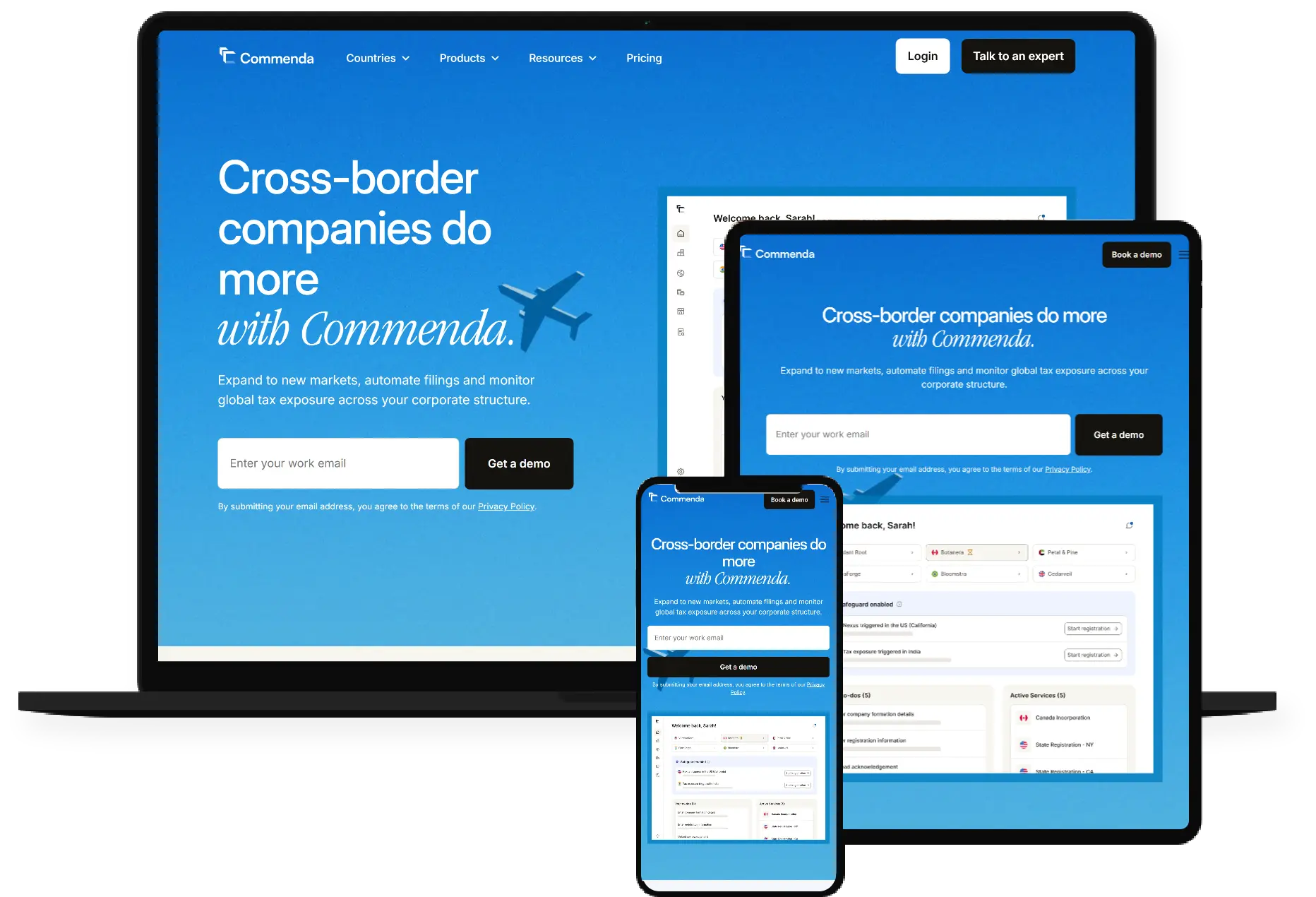
Commenda is a modern business tech platform that helps founders, startups, and enterprises establish, manage, and grow their cross-border businesses with ease. From global incorporation and tax registrations to ongoing compliance and advisory, Commenda provides a streamlined, technology-led experience.
Their platform removes the operational friction of managing cross-border entities, allowing companies to stay focused on growth while Commenda manages regulatory complexity, documentation workflows, and compliance requirements behind the scenes.
Problem Statement and Solution
Problem Statement
Commenda.io was on Webflow’s Business plan, which limits it to 300 static pages, severely restricting the ability to publish new content.
The marketing team was currently publishing 120 to 140 articles per month and aimed to increase this number to double or triple.
These limits were slowing down our organic growth.
Another major limitation was the complex multi-level/multi-folder URL structure. Webflow didn’t allow the creation of URLs structure that the team wanted, which restricted the ability to structure content for both users and SEO. These blockers started slowing down their content-driven growth and lead generation substantially.
Also, they didn’t want to pause publishing for 2–3 months just because of the migration. The traffic and lead pipeline depend heavily on consistent content output, so they needed a solution that allowed them to scale content while migrating, without hurting performance or rankings.
Solution
Running Webflow and WordPress in Parallel to Ensure Zero Disruption
To ensure uninterrupted publishing and to maintain organic traffic, we implemented a parallel publishing setup during the initial phase of migration.
Instead of switching platforms overnight, our approach allowed the client to continue using Webflow for their core marketing and landing pages, while WordPress powered the new blog and content publishing workflows.
We achieved this through a reverse proxy configuration. Here’s how it worked:
- Webflow remained live for all marketing and high-conversion pages that were already indexed and performing well.
- A new WordPress instance was deployed on AWS with separate staging, development (T servers), and production environments (C servers) to manage blogs.
- Visitors could access all URLs seamlessly without realizing two platforms were running simultaneously, maintaining brand consistency and user experience.
- The reverse proxy ensured that traffic routing and URL structures remained intact, while new WordPress content was served directly from the WordPress environment.
- This setup also allowed the client’s marketing team to continue publishing 120–140 pages per month without interruption, even as the full migration progressed in the background.
- The rest of the web pages were developed in parallel in WordPress; we gradually phased out Webflow and directed all traffic to the new environment.
The result was a smooth, no-downtime Webflow-to-WordPress migration where business operations, SEO visibility, and content growth were not just preserved but accelerated.
The approach we took
Phased rollout
This was the primary requirement from the client: a phased rollout. We first built templates for blog articles as a priority and set up a WordPress environment on AWS so that the commenda.io team can begin publishing new content in parallel while rest of the content migrates in the background.
A seamless reverse proxy approach allowed the visitors to access relevant content and allowed the marketing team uninterrupted content creation while the full transition to WordPress occurred behind the scenes.
We implemented a phased rollout strategy, prioritizing new publishing and marketing pages, which provided flexibility, maintained growth, and prevented bottlenecks caused by Webflow limits.
Dev, staging, and production servers on AWS ensure coordinated progress between us and the client’s in-house team of marketing, SEO, and DevOps engineers, minimizing launch risks.
Migration
Our migration strategy was designed to ensure accuracy, scalability, and zero disruption while moving from Webflow to WordPress. The objective was to migrate all structured content—including dynamic collections, static pages, and media assets—into a scalable, future-proof WordPress environment.
Staging Setup and Bulk Migration Process
We first set up a dedicated staging environment in WordPress to handle all content imports, validation, and QA before pushing anything live.
From Webflow, all dynamic content was exported into CSV files, which were then converted to JSON (per custom post type) for cleaner and more controlled imports.
The migration covered:
- 20+ unique pages
- 15+ Webflow collections, migrated as Custom Post Types (CPTs), including:
- Country
- Case Studies
- Webinars
- Glossary Subpages
- Partner
- Integrations
We developed custom scripts to import content in bulk from these JSON files, automating the creation of custom post types, metadata, and taxonomies. All images were downloaded, uploaded to the new WordPress media library, and relinked into respective content types.
Automated Migration and Data Validation
We developed custom WordPress scripts to automate the import process. These scripts parsed JSON data and programmatically created WordPress posts, pages, and CPT entries while associating metadata, taxonomies, and media assets.
This automation eliminated repetitive manual work and drastically reduced the time required for migration.
Automated Validation and Debugging
Post-import, we ran automated verification scripts to detect and correct incomplete or missing data. These scripts checked for inconsistencies in featured images, metadata, author details, publication dates, custom fields, and much more.
Additional safeguards included:
- Re-run capability: Scripts were designed to re-execute selectively for missed or incomplete entries.
- Debug scripts: Automated logs tracked every migrated record, allowing our QA team to identify anomalies quickly.
- Error recovery: Missing assets or metadata were re-fetched automatically from the source JSON files.
This iterative automation loop ensured that no data was lost or duplicated and that each content type was migrated with full fidelity.
Once the automated validation passed, the team performed manual content verification across all content inventory, including Country, Blog, and Case Studies, and much more ensuring fidelity in formatting, typography, and fonts.
Manual Migration
A few Webflow collections had limited data in it, we migrated those manually. This included direct entry of content where automated scripts were unnecessary due to the dataset size.
We maintained a Google sheet for tracking all content types, ensuring full visibility of migration status and quality checks at every stage.
SEO Preservation
Metadata and Schema Migration
To maintain on-page SEO continuity, we replicated all meta titles, descriptions, and Open Graph data in WordPress
- Transferred and validated JSON-LD structured data for all content types (e.g., blog posts, case studies, webinars).
- Preserved all canonical tags and ensured self-referencing canonicals were applied sitewide.
- Migrated alt attributes, H1/H2 hierarchies, and internal linking structures exactly as in the previous setup.
Preserving URL Structure and Indexing Continuity
To avoid breaking any existing SEO equity, we maintained the URLs structure between both platforms.
- A one-time hardcoded XML sitemap was created from Webflow’s existing URLs and along with the newly generated WordPress sitemap.
- This dual-sitemap setup ensured that both Webflow and WordPress pages could coexist temporarily during the phased rollout, allowing search engines to crawl and serve URLs from the correct source seamlessly.
- We integrated both XML files into the index file, ensuring that all valid URLs—whether from Webflow (legacy) or WordPress (migrated)—were discoverable without confusion.
Routing Between Platforms
During the initial hybrid phase, we implemented logic within the reverse proxy layer to dynamically route traffic based on URL patterns:
- Old articles and marketing pages continued to serve directly from Webflow until their corresponding WordPress pages were migrated.
- Newly published articles were served from WordPress, allowing content publishing to continue without interruption.
This setup ensured zero broken links and uninterrupted user journeys while both systems operated in parallel.
DevOps: Scalable, Secure, and Seamlessly Orchestrated Infrastructure
AWS Setup
The project was hosted on Amazon Web Services (AWS) to guarantee enterprise-grade uptime, security, and scalability. We created dedicated environments for development, staging, and production, enabling isolated workflows and risk-free iteration.
- Development Server: Used for building new features, testing scripts, and integration validation.
- Staging Server: Mirrored production settings for QA, content verification, and client UAT before deployment.
- Production Server: Optimized for high performance, with CDN, caching, and security layers configured for live traffic.
Reverse Proxy and Hybrid Setup Coordination
During the phased rollout, our DevOps team, with the help of the client’s DevOps team, managed the reverse proxy configuration that allowed Webflow and WordPress to run in parallel. This hybrid setup required precise DNS routing and proxy mapping, ensuring content requests were served from the correct source with no disruption to the live user experience.
Monitoring, Logs, and Backups
We established an end-to-end monitoring system to track uptime, performance, and resource usage across all environments.
- Integrated AWS CloudWatch for server performance and error logging.
- Implemented daily automated backups for database and media assets.
- Configured security alerts and uptime monitoring to ensure proactive issue resolution.
This setup provided full visibility into infrastructure health, with redundancy measures to recover instantly from any unexpected failure.
Design Continuity
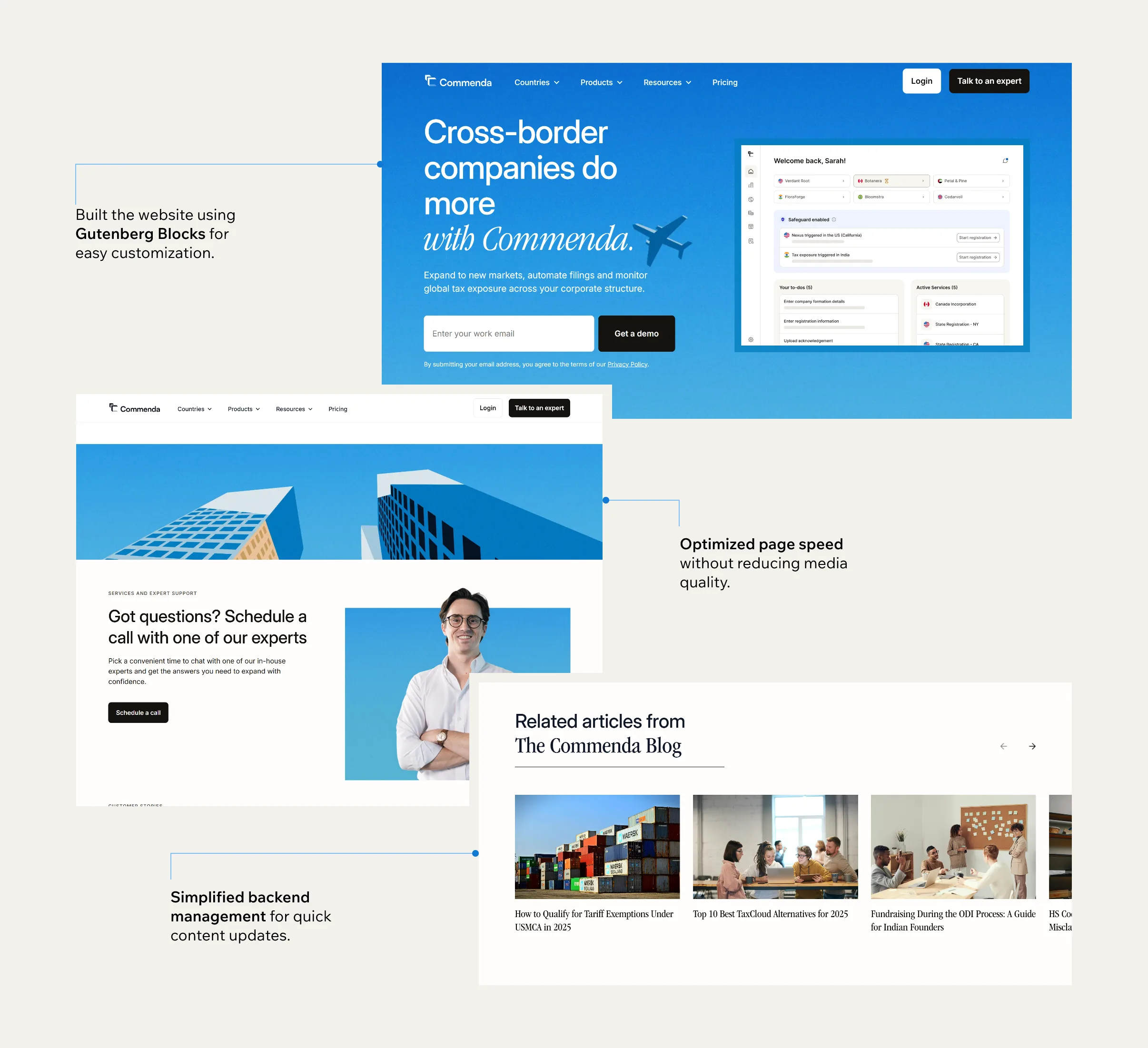
To ensure design continuity and preserve the visual integrity of the original Webflow website, our team meticulously recreated every design element and layout in WordPress using custom Gutenberg blocks.
The goal was to provide the client’s marketing and content teams with complete creative control, enabling them to replicate complex layouts, update sections, or create new pages without developer dependency, all while maintaining brand consistency across the site.
Rebuilding the Webflow Experience in WordPress
We translated all Webflow page templates, design components, and interactions into a fully modular WordPress website. Every pixel, font, spacing, and animation was replicated.
30+ Custom Gutenberg Blocks for Seamless Content Creation
To replicate the diversity of design components from Webflow, we built 33 custom Gutenberg blocks
Key blocks included:
- Banners
- Trusted Logos
- Benefits Section
- Pricing Modules
- Testimonials
- FAQs
- CTAs
- Two-Column Layouts
- Tabs
- And many More
These modular blocks enabled the Commenda.io team to build landing pages, blog layouts, and resource hubs dynamically, ensuring brand uniformity while allowing agile publishing.
Advanced Gutenberg Blocks with Complex Logic
Beyond static design components, we developed three complex Gutenberg blocks
- Sales Tax Calculator: Handles dynamic calculations with real-time results
- Company Name Checker: Integrates with backend APIs to verify name availability instantly.
- Get Early Access: Collects user data and triggers backend workflows via API integration.
Through this modular design and block-based approach, we delivered a 1:1 design match with enhanced scalability, giving the client the freedom to create, edit, and evolve their brand visibility effortlessly, all within the WordPress ecosystem.
End-to-End Website Testing
Functional Testing
We validated every functional element of the website to ensure a seamless user experience and proper content flow:
- Verified that all navigation menus and links (internal and external) redirect correctly.
- Tested all call-to-action (CTA) and form submissions.
- Reviewed search functionality for content relevance and accuracy of results.
- Checked all filters, sort options, and pagination controls where applicable.
- Ensured metadata, including page titles, meta descriptions, and image alt attributes, were correctly implemented.
- Confirmed favicon, logo, and branding elements remained consistent across all pages.
- Identified and logged any broken assets, such as missing images, CSS, or JavaScript files.
Performance Testing
To guarantee an optimized user experience, performance was tested under real-world conditions:
- Optimized page load times on both desktop and mobile devices.
- Validated lazy loading behavior for images and media-heavy sections.
- Tested caching mechanisms to ensure optimal repeat load performance.
These checks ensured the website delivered consistently fast and stable performance under expected enterprise traffic loads.
UI/UX and Design Consistency Testing
We conducted a thorough visual and experiential audit to maintain brand integrity and interface quality:
- Tested responsiveness across mobile, tablet, and desktop viewports using the Responsively app.
- Verified layout consistency across major browsers: Chrome, Firefox, and Safari.
- Ensured color schemes, button styles, and icons matched brand guidelines.
- Validated accessibility compliance, ensuring every image had alt text and content adhered to inclusive design standards.
Team Size and Composition
Developers
6
Designers
2
Project Manager
1
Webmaster
1
DevOps
3
Business
2
Features / UI Highlights
Results and Metrics
Quantitative
Over 800+ content pieces were successfully migrated from Webflow to WordPress, preserving structure, metadata, and SEO integrity. Our team developed 30+ custom Gutenberg blocks, empowering the client’s marketing team to create, update, and manage content autonomously. Post-migration, the new setup supports the publication of 120–140 articles per month, with the infrastructure designed to scale effortlessly and double publishing capacity as content operations expand.
Qualitative
The migration delivered a seamless transition from Webflow to WordPress with zero downtime or disruption to ongoing publishing. The new platform offers greater flexibility and has scalable publishing workflows, enabling the marketing and content teams to create and manage content independently without relying on developers. It’s a future-ready foundation for continuous growth and innovation.
Testimonial
Migrating from Webflow to WordPress was a strategic move for us, but our biggest concern was maintaining publishing momentum. The team handled it exceptionally well. They built a scalable WordPress setup that allowed us to continue publishing even while the migration was still underway.
The migration was seamless, the collaboration transparent, and the end result exceeded expectations. The new WordPress environment isn’t just faster and more flexible; it’s built for scale.